The Flying Frenchie · Made in the Shorts tab
Turn a Photo of Your Dog
Into a Movie
The Flying Frenchie is a 30-second black-and-white film of a French bulldog with wings, chasing a butterfly into a thunderstorm. It was made from one reference photo and one prompt in the Pray Production Studio Shorts tab. Below is the full prompt and the steps to make one of your own dog.
Made in the Pray Production Studio Shorts tab
- Photo
- 1
- Prompt
- 1
- Shots
- 13
- Length
- 30 sec
Watch the film
Watch The Flying Frenchie
the finished film
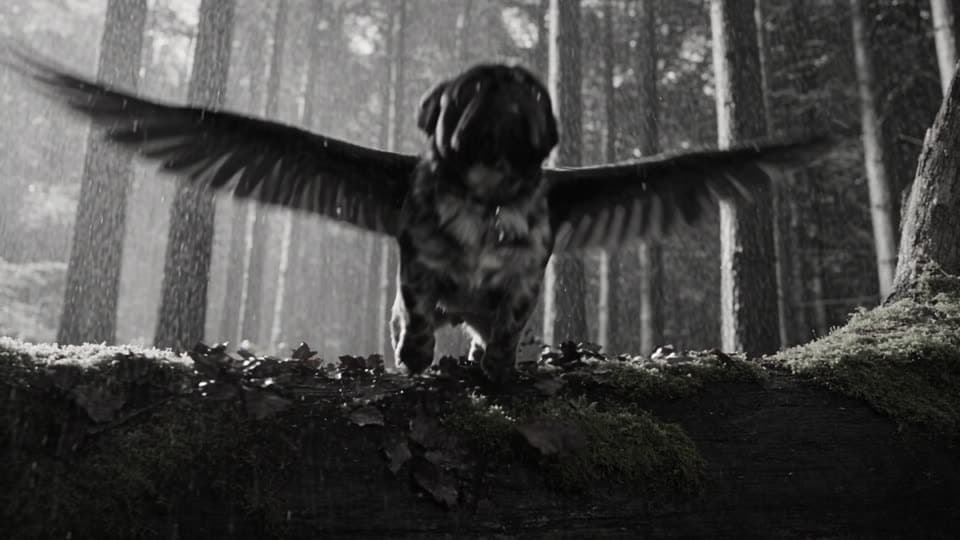
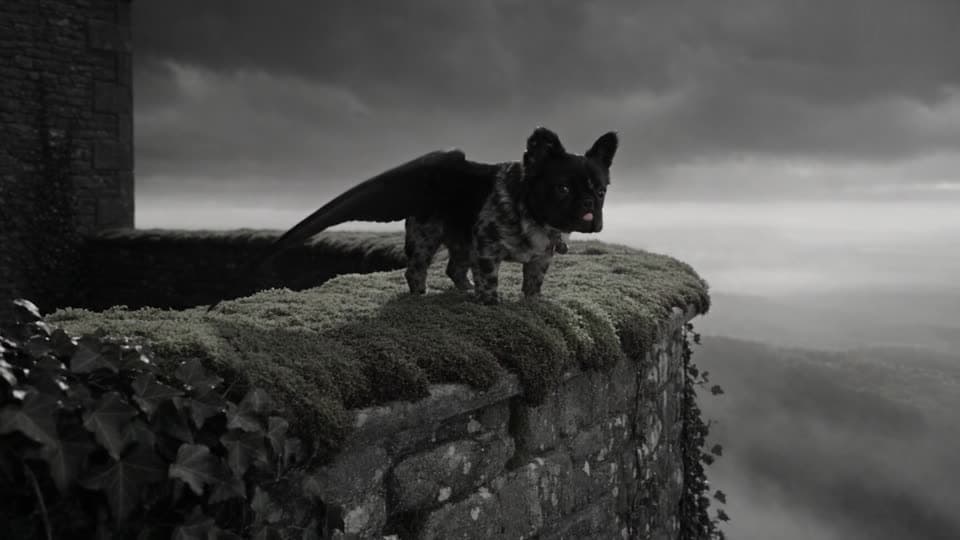
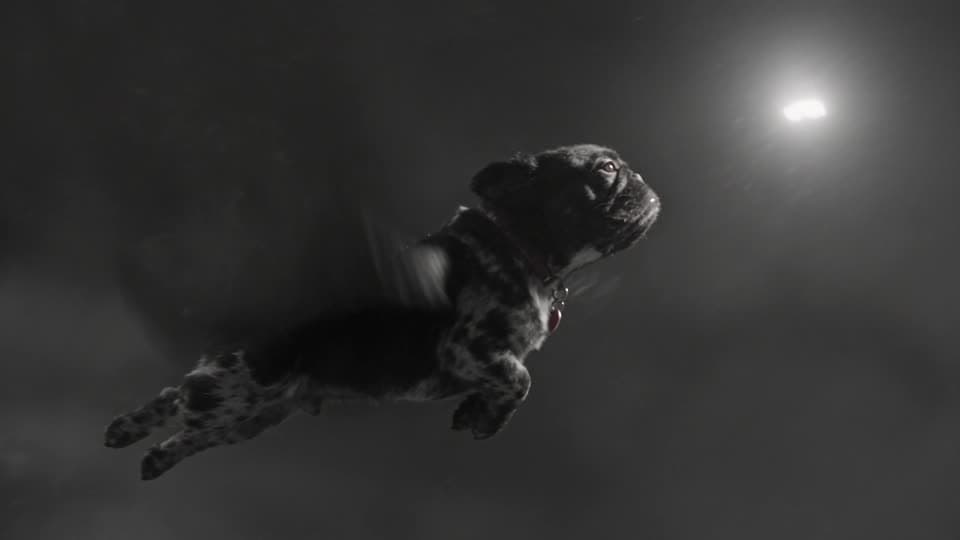
A winged French bulldog follows a glowing butterfly from a forest floor up into the storm clouds. It runs 30 seconds in 13 shots, all from a single generation.
How The Flying Frenchie was made: one reference photo of a French bulldog, tagged @Image1, and one prompt in the Pray Production Studio Shorts tab, on Seedance 2.5 at 30 seconds. The prompt sets the look once, then directs thirteen shots by time, camera and action. A 480p draft was rolled first, and that same take was finalized to 1080p.
The short answer
How to turn a photo of your dog
into an AI movie
- 01
Add one photo of your dog.
Upload a clear picture of your dog as a reference in the Shorts composer. It becomes @Image1. Write @Image1 in the prompt right after you describe the dog, so every shot keeps the same face, coat and ears.
- 02
Set the look before the story.
Open the prompt with the film stock and the weather: black-and-white 35mm, heavy grain, lightning in every shot. Name what it must never be (not animated, not 3D, no color) and every cut follows it.
- 03
Write each shot, then draft.
Split 30 seconds into numbered shots, each with a time range, a camera move and one action. Roll a 480p draft to check the timing, then finalize the take you like at 1080p.
How it was made
Five steps
in the Shorts tab
- 01
Open the Shorts tab
In Pray Production Studio, open Shorts from the sidebar. There is no project or storyboard to set up: one text box and a few settings.
- 02
Add one photo of your dog
Add the picture as a reference, then tag it @Image1 in the prompt, right after you describe the dog. A reference sheet with a full-body view, a close-up of the face and a back view works best.
- 03
Set the look
The prompt opens with one paragraph every shot follows: black-and-white 35mm film, heavy grain and halation, and a storm with lightning in every shot.
- 04
Split 30 seconds into 13 shots
Each line gets a time range, a camera move and one action, in that order. The engine plays them back as one edited sequence.
- 05
Draft at 480p, finalize at 1080p
Settings: Seedance 2.5, 30 seconds, 16:9, Cinematic Live Action. A 480p draft showed the take worked, and Finalize 1080p rendered that same take at full resolution.
Step one · One photo
Start with one photo
and tag it @Image1
Add one picture of your dog as a reference in the composer. In the prompt, write @Image1 right after you describe the dog: that line tells the engine this is the face, coat and ears to keep in every shot.
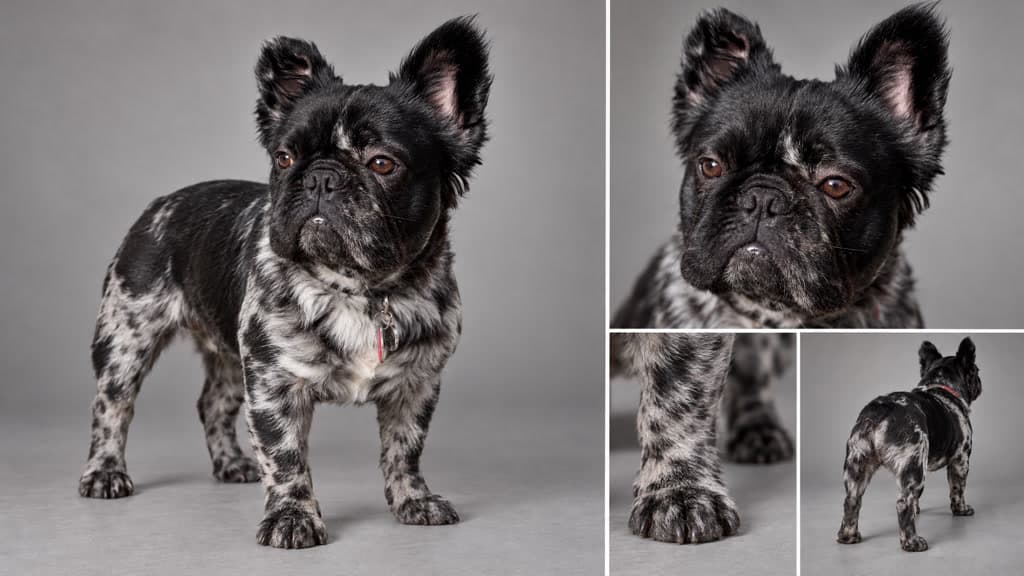
A small, stocky, furry black French bulldog @Image1 with bat ears and large feathered black wings chases a glowing white butterfly…
Step two · Lock the look
Set the look
before the story
The prompt opens with one paragraph that every shot follows: the film stock, the textures, the weather, the motion, and a short list of what it must never look like.
Step three · The shots
Write the 13 shots
with a time, a camera move and an action
Split the thirty seconds into shots. Each line gets a time range, a camera move and one action, in that order. The engine plays them back as one edited sequence, with the same dog, storm and light in every cut.
01 · 0–2s
Macro close-up
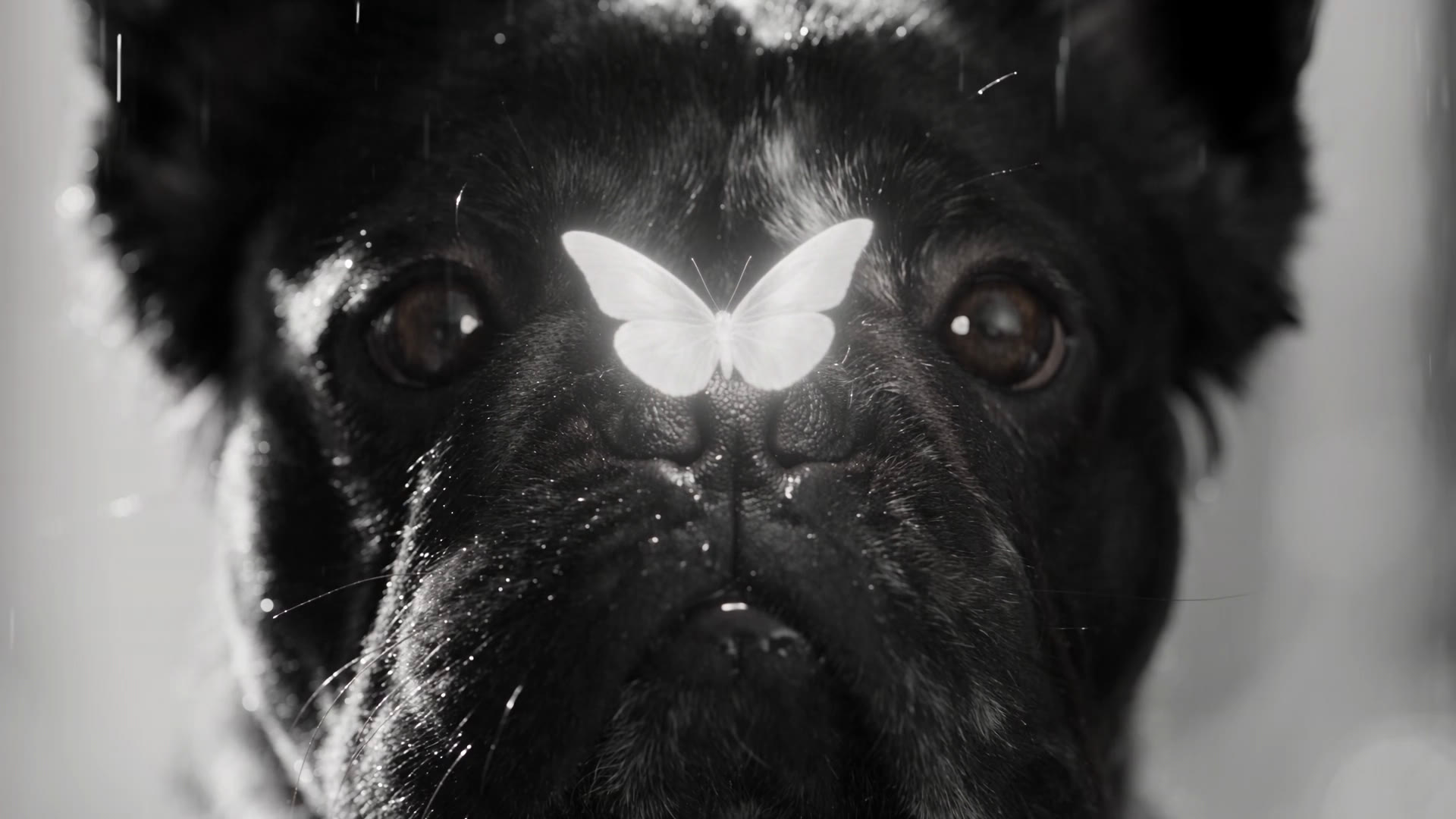
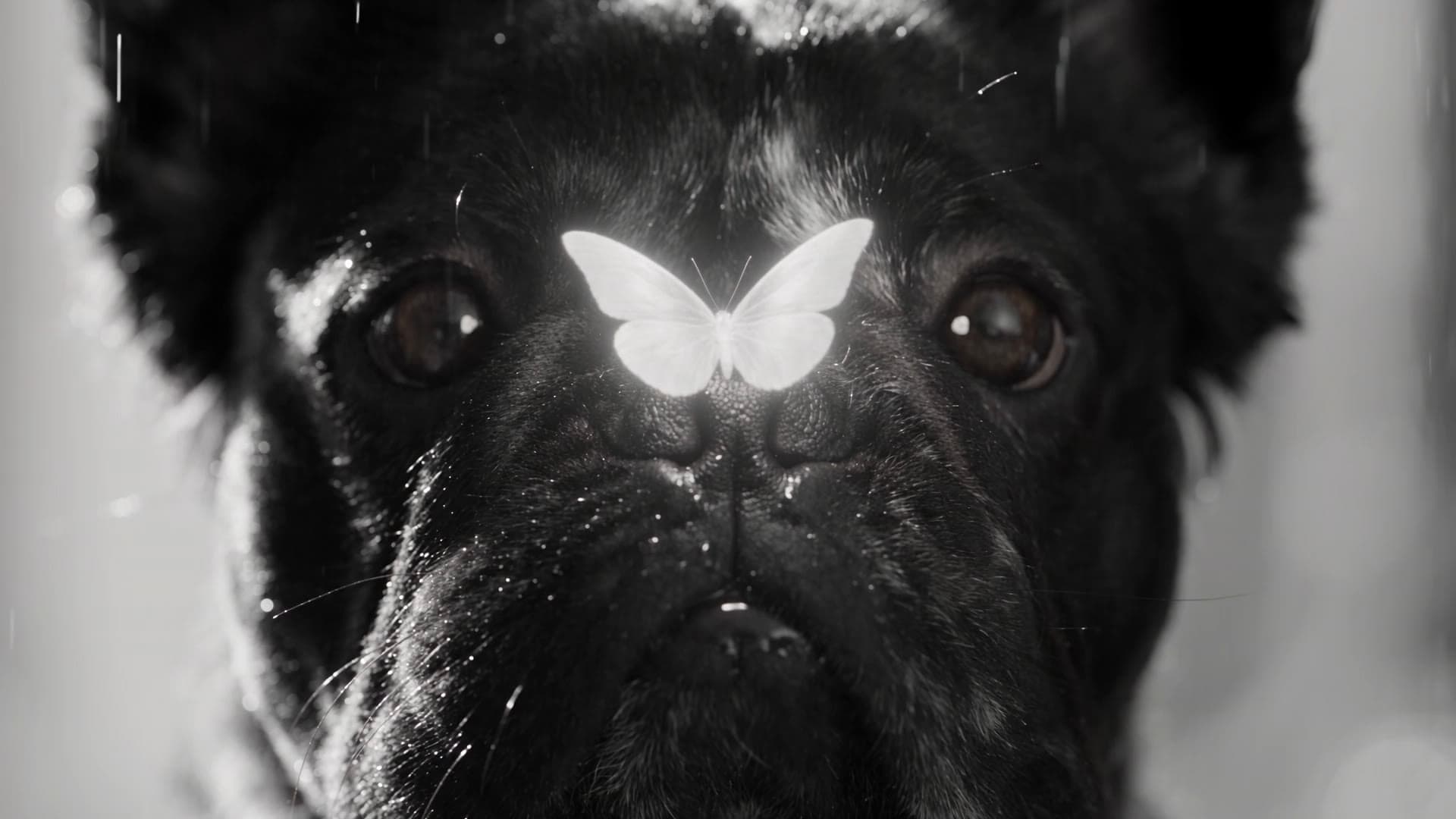
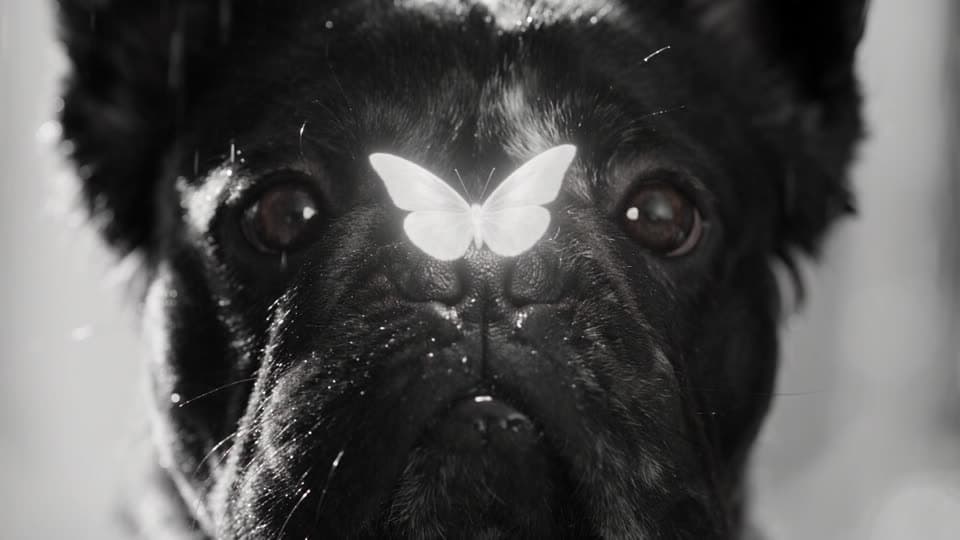
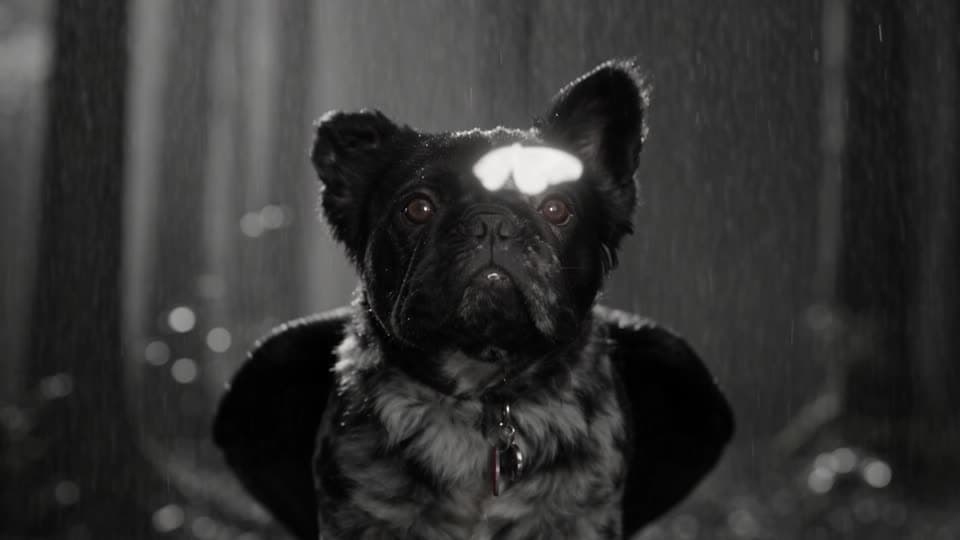
The glowing butterfly rests on its wet black nose.
02 · 2–4s
Close
The butterfly flutters off. It crouches low, wings twitching open.
03 · 4–6s
Low angle
It pounces off a mossy log, wings snapping open.
04 · 6–8s
Fast tracking
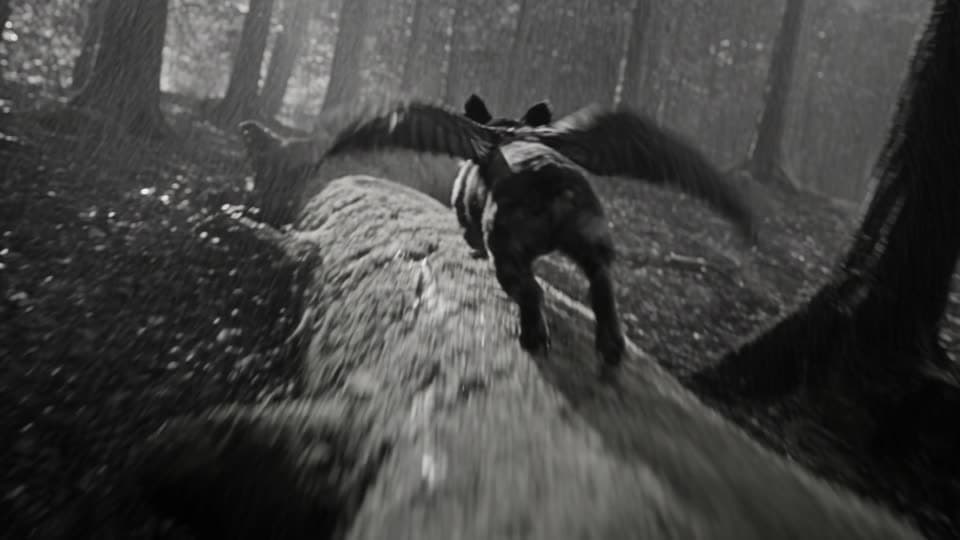
It runs along a fallen trunk and launches into flight.
05 · 8–10s
Spiraling
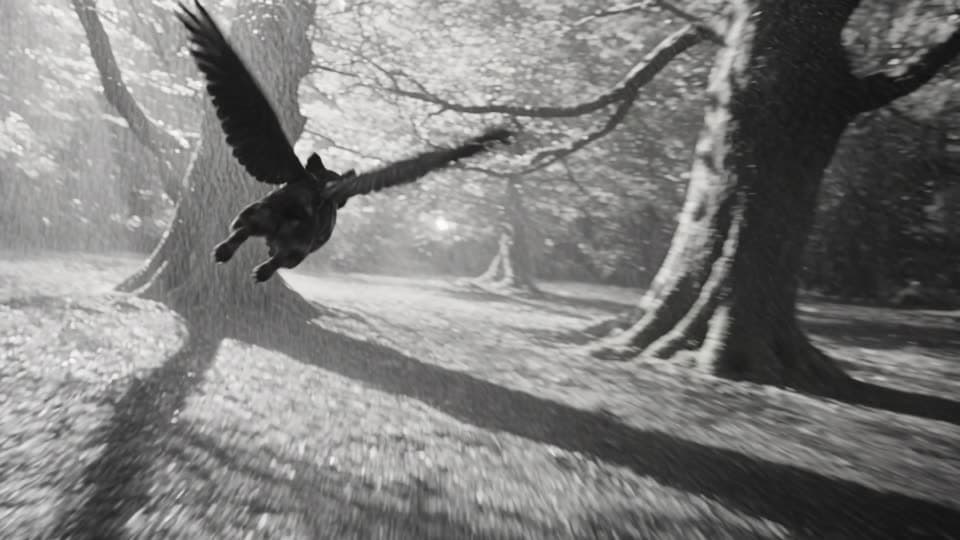
It weaves between giant trees as lightning strobes.
06 · 10–12s
Close-up
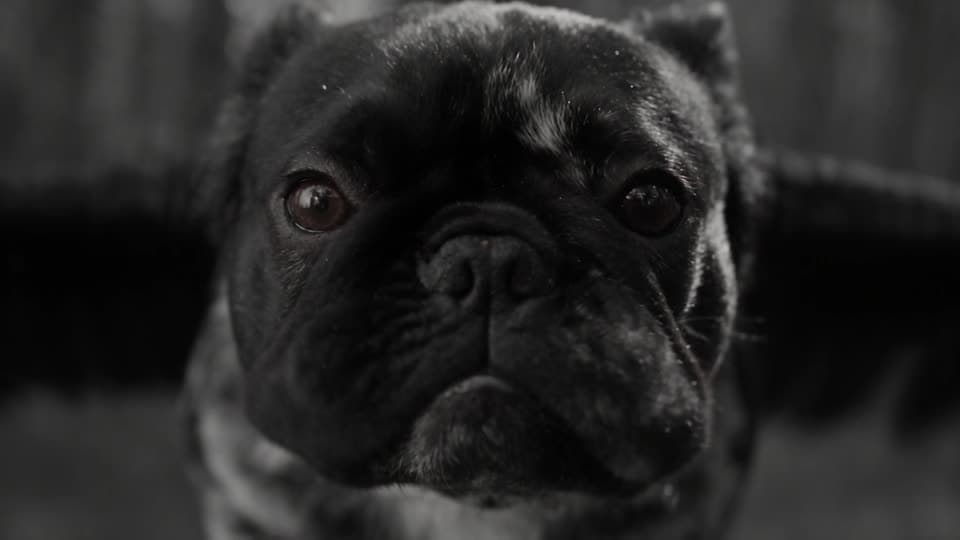
Its face mid-flight, jowls flapping in the wind.
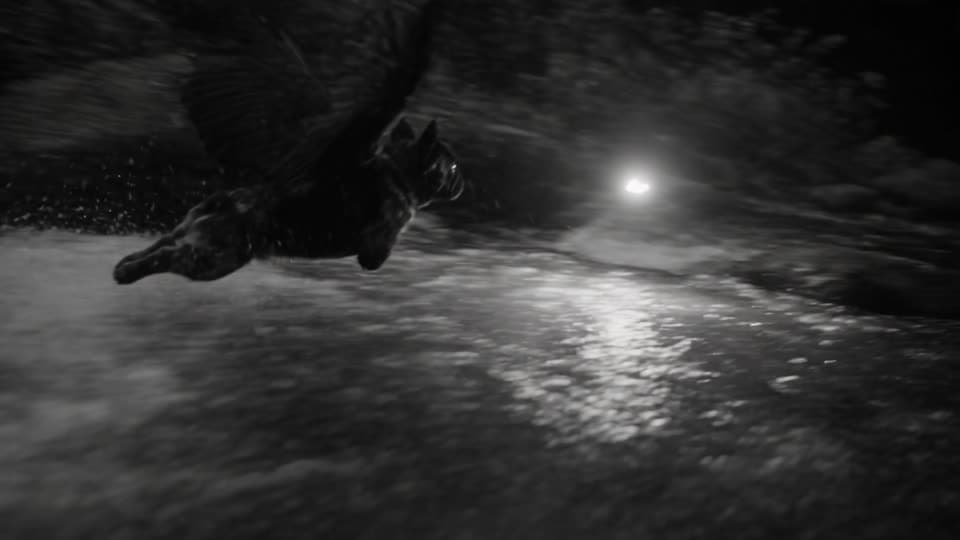
07 · 12–14s
Tumbling
It skims a rushing stream, wingtips splashing.
08 · 14–16s
Wide
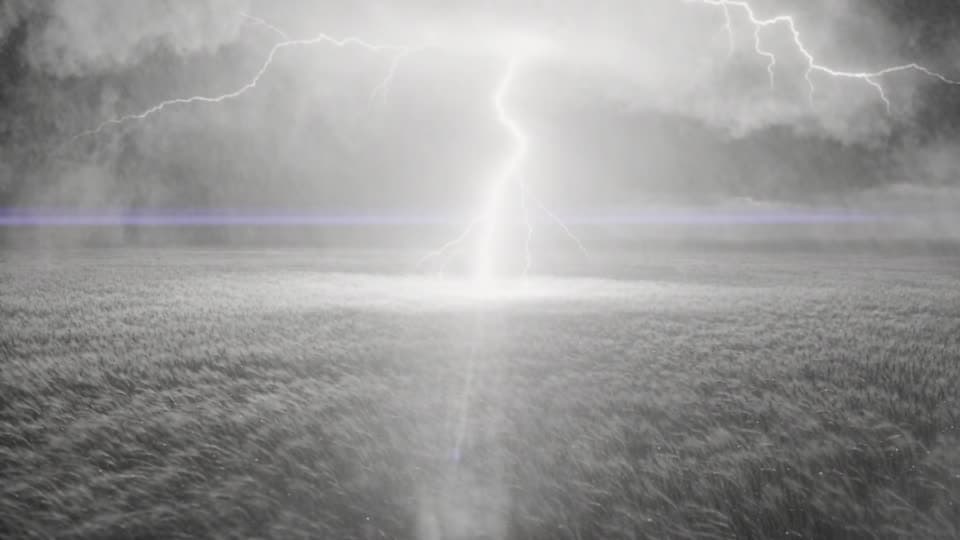
It bursts into a field as a lightning bolt splits the sky.
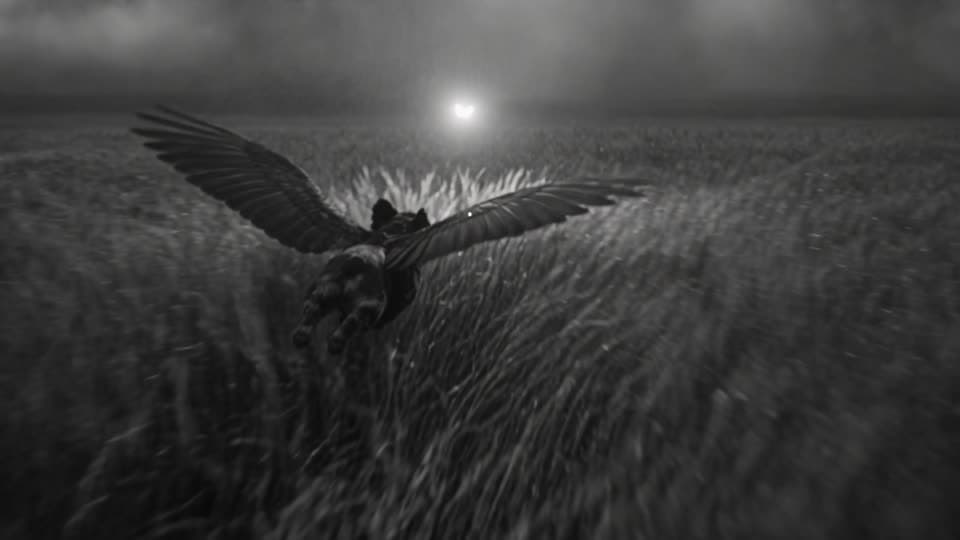
09 · 16–18s
Fast tracking
Low over the grass, angling up toward the clouds.
10 · 18–21s
Orbit
It climbs steeply into the swirling storm clouds.
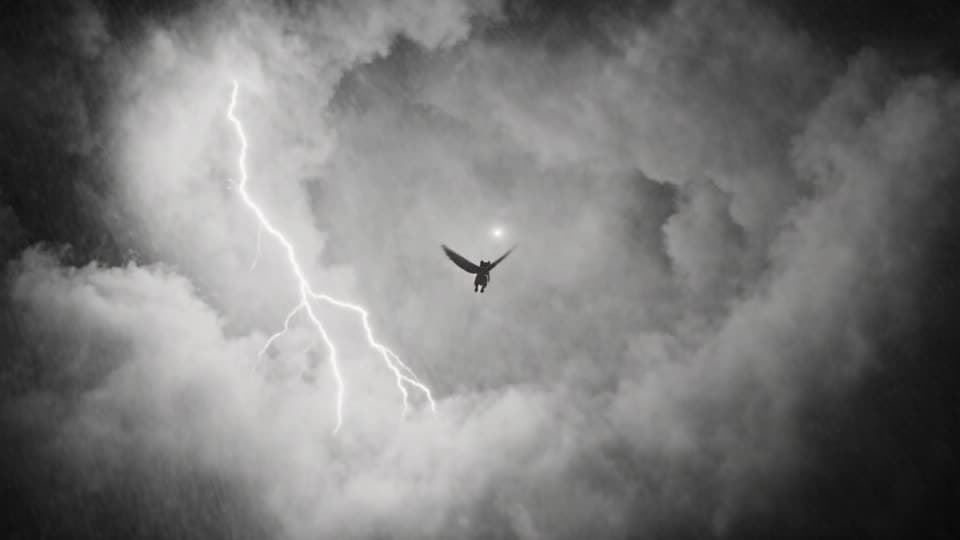
11 · 21–24s
Low-angle wide
A silhouette against the clouds as lightning explodes.
12 · 24–27s
Any angle
It lands on a mossy stone wall and grooms one wing.
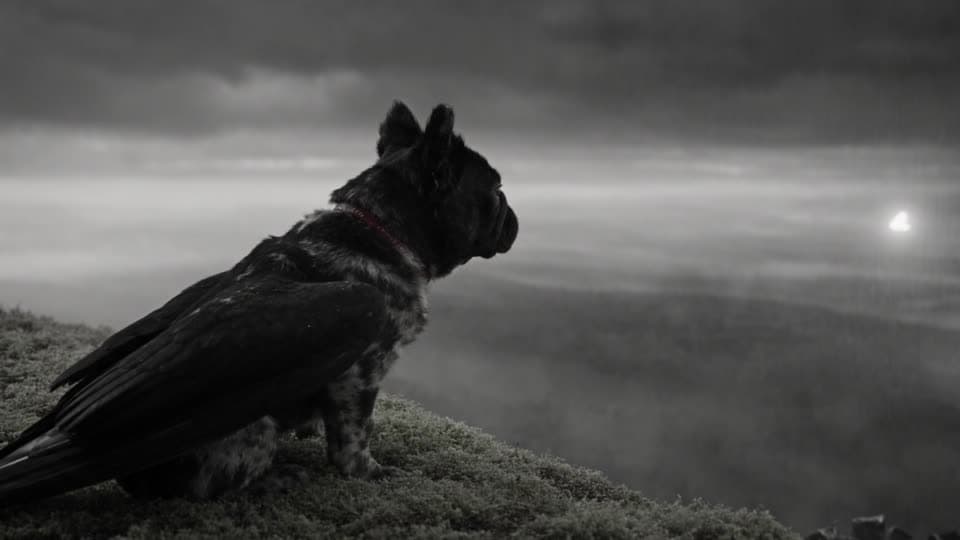
13 · 27–30s
Side profile
It settles and gazes out over the stormy valley.
Tip: the timestamps set the order and the pacing, not the exact frame. In this film shot 1 cuts a little early, and shots 8 to 10 play as one continuous move. Roll a 480p draft first, see where the cuts landed, and adjust the lines before you finalize.
The full prompt
The full prompt
for The Flying Frenchie
As generated in the Shorts tab: Seedance 2.5, 30 seconds, 16:9, Cinematic Live Action, with one reference photo as @Image1. Lightly edited for publishing. Add a photo of your own dog, change the breed to match, and keep the structure.
Photorealistic live-action cinema shot on vintage black-and-white 35mm film stock, epic monochrome, deep inky blacks and blown-out highlights, high-contrast chiaroscuro, heavy natural film grain, slight gate weave and halation around lightning, anamorphic lens, real practical effects, realistic fur, feathers and moss. Not animated, not illustrated, not hand-drawn, not 3D render, no color. The characters are in constant, fast motion in every shot. A small, stocky, furry black French bulldog @Image1 with bat ears and large feathered black wings chases a glowing white butterfly through an ancient forest, out over open fields and up into the sky during a raging thunderstorm. The storm never stops: swirling clouds, driving rain, wind-whipped leaves and feathers and lightning flashing every few seconds, in every shot. The camera constantly spirals, orbits and tumbles with them. 200mm anamorphic lens, with horizontal lens flares, and bokeh effect.

Fast multi-shot sequence with hard cuts:

Shot 1 (0–2s): Macro close-up in a dark, mossy forest. The glowing butterfly rests on the Frenchie's wet black nose as rain drips off its whiskers and lightning flickers through the trees.
Shot 2 (2–4s): The butterfly flutters off. The Frenchie's eyes lock onto it, and it crouches low, ears pinned back, as its wings twitch open.
Shot 3 (4–6s): Low-angle shot. It pounces off a mossy log, its wings snapping fully open as rain and leaves explode around it.
Shot 4 (6–8s): A fast tracking shot behind it as it runs along a fallen tree trunk and launches into flight, flapping hard.
Shot 5 (8–10s): The camera spirals around it as it weaves between giant trees, chasing the glowing butterfly, while lightning strobes through the branches.
Shot 6 (10–12s): Close-up of its face mid-flight. Its jowls flap in the wind, rain streaks past and its eyes are fixed on the butterfly.
Shot 7 (12–14s): It skims low over a rushing stream, its wingtips splashing the water as the camera tumbles alongside it.
Shot 8 (14–16s): It bursts out of the treeline into a vast field of tall grass whipping in the wind, as a huge lightning bolt splits the sky ahead.
Shot 9 (16–18s): A fast tracking shot behind it, low over the thrashing grass, as it angles upward after the butterfly toward a flash of light in the clouds.
Shot 10 (18–21s): The camera orbits it as it climbs steeply into the swirling storm clouds, wings pumping, with rain and feathers whirling around it.
Shot 11 (21–24s): Low-angle wide shot looking up. It soars high in the sky, silhouetted against the clouds as lightning explodes behind it, and the butterfly glows just ahead.
Shot 12 (24–27s): It swoops down and lands on top of an ancient curved stone wall covered in thick moss and ivy, high above a misty valley, and turns its head to lick and groom one wing.
Shot 13 (27–30s): Side-profile medium shot. It tucks its wings in and settles down on the mossy stone, gazing out over the stormy, misty horizon as the butterfly flutters past it and lightning flashes in the distance.

Mood: epic, magical, adventurous. Lightning on every leap. No text.
Before your first Short
Questions about AI videos of your dog
- How do you turn a photo of your dog into an AI movie?
- Add one clear photo of your dog as a reference in the Pray Production Studio Shorts tab and tag it @Image1 in the prompt, right after you describe the dog. Set the look first, then list the shots with a time range, a camera move and one action each. On Seedance 2.5 a single 30-second take returns them as one edited movie.
- What does @Image1 do?
- It points the prompt at your first reference picture. Writing it next to the description of the dog tells the engine that this dog, with this face, coat and ears, is the character in every shot.
- What photo of my dog works best?
- A sharp, evenly lit picture where the face, ears and markings are easy to see. The Flying Frenchie used a reference sheet: a full-body view, a close-up of the face, a paw and a back view on a plain grey background.
- How long does it take to make?
- One 30-second take. A 480p draft renders in a couple of minutes, and finalizing that same take at 1080p takes about as long again.
- What is a 480p draft?
- Draft 480p renders the take fast and at a fraction of the full price. If you like it, Finalize 1080p re-renders that same take at full resolution, so you only pay full price for the keeper.
- Does it work for other breeds, or for cats?
- Yes. The reference photo carries the look of your pet, so describe the breed in the prompt to match it. The same structure works for any animal: one photo, the look, then the shots.
- Can I use this prompt?
- Yes. Open it in the Shorts tab or copy it below, add a photo of your dog as the reference, and change the breed and description to match. Keep the look and the shot structure, or rewrite the thirteen actions.
Try it with your dog
Make a movie
of your dog
Add a photo, paste the prompt, and roll a 480p draft in the Shorts tab.
Or direct a longer film, shot by shot ↗Pray Production Studio is made by Pray.com.