Sermon clips · A Pray Production Studio case study
Most sermon clips show a pulpit.
This one showed the gap.
Pastor Adam Mesa preached on standing in the gap in prayer. We gave 89 seconds of that sermon a picture for every line, with no camera crew and no footage of the stage, for $83 in generation cost. On Instagram it passed 79K+ views.
A real sermon. Every frame generated.
See the finished clip
Stand in the Gap.
Pastor Adam Mesa.
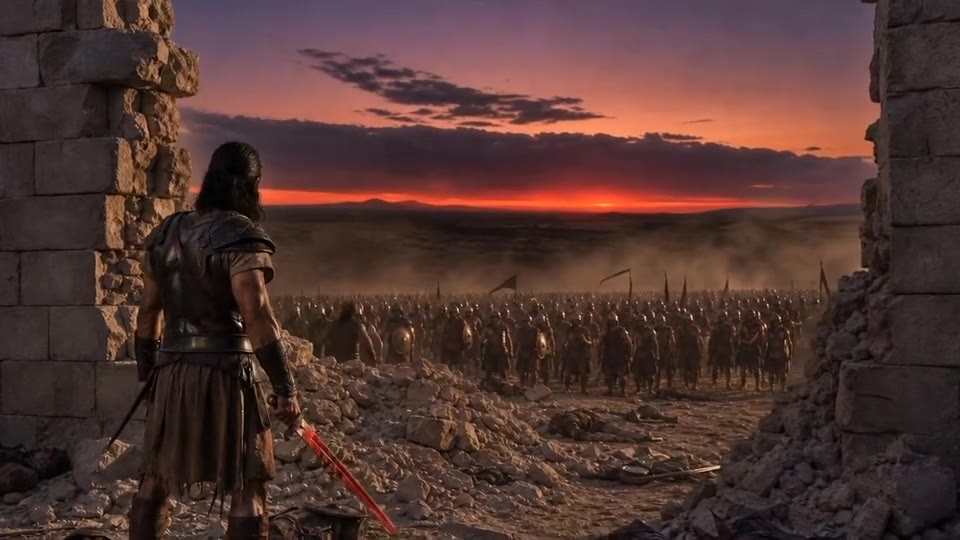
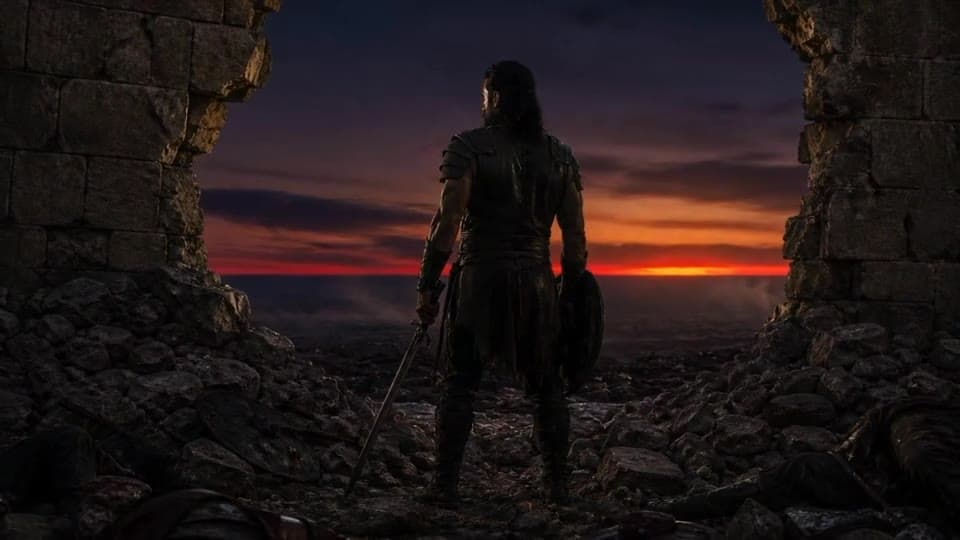
A city wall under siege. One soldier holding the breach. Then a teenager, a grandmother and a family at a bedside, each one on their knees. Watch the whole clip, then see how it was made.
- Instagram views
- 79K+
- Likes
- 2.7K
- Generation cost
- $83
- Runtime
- 1:29
How this sermon clip was made: the audio is a 1:29 passage from Pastor Adam Mesa’s sermon on Ezekiel 22:30. Every visual was generated in Pray Production Studio, one shot for each line he preaches, and cut to his voice in Post-Production. It was posted as a Reel by @pray.creators with a one-word call to action in the caption.
Every line becomes a shot
He preached the picture.
The clip shows it.
Good preachers already speak in pictures. AI video generation lets you put those pictures on screen, line by line, so the viewer sees the sermon while they hear it.

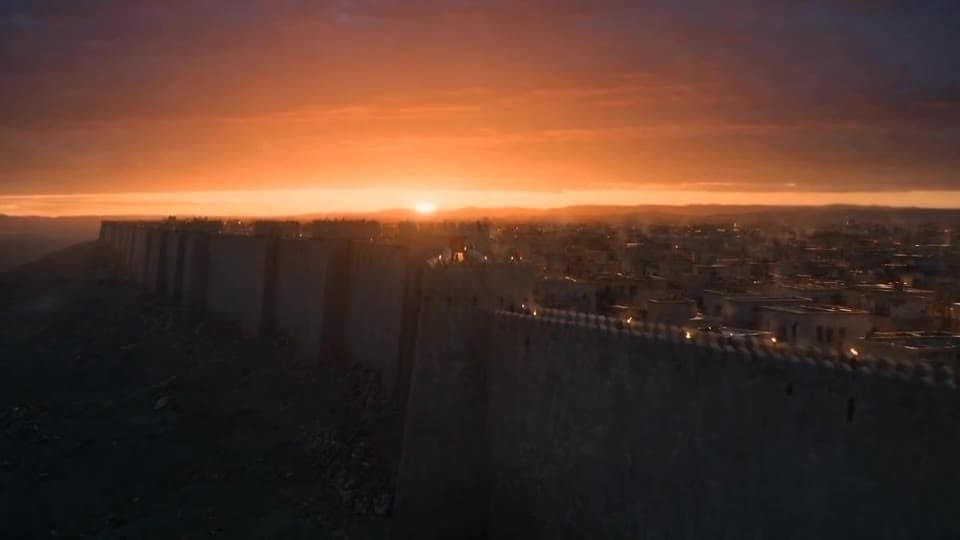
0:08“They would hit it with stone, they would hit it with wood, and they would chip away at the wall.”
The siege. Fire hits the wall exactly as he describes it.
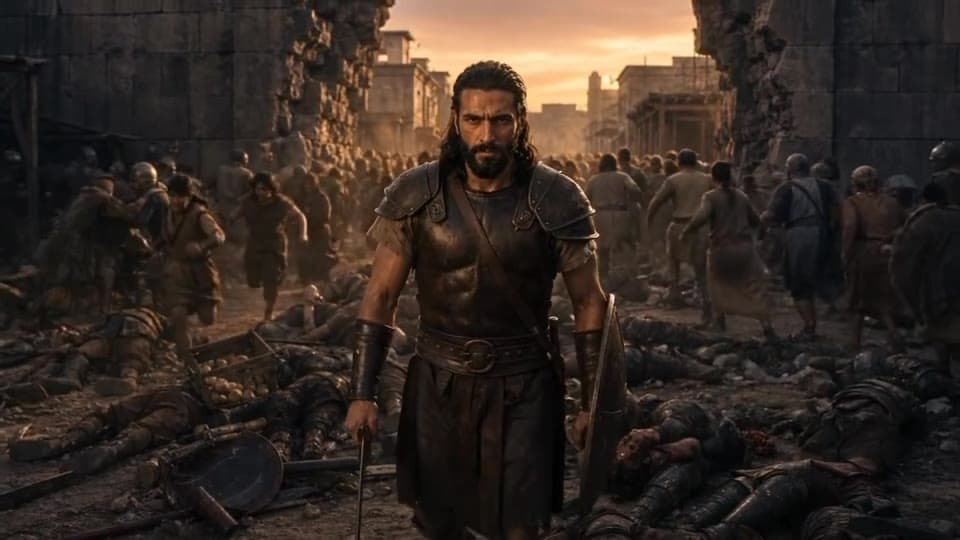
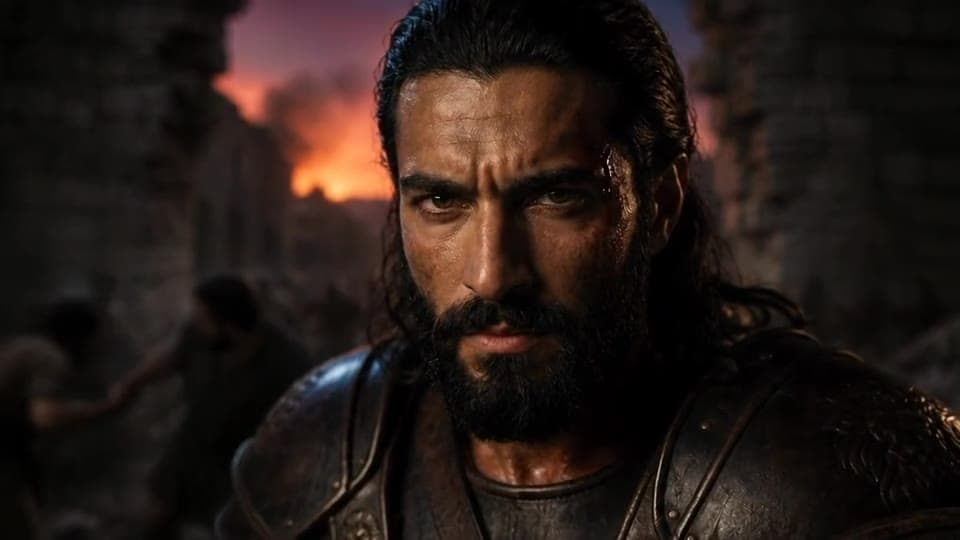
0:24“There would be one soldier that would stand in between the wall.”
The metaphor gets a face. One soldier, walking into the breach.

0:58“You have the next generation that’s being sucked into something that’s trying to bring them anxiety and depression.”
The turn. The ancient picture becomes the viewer’s own home.
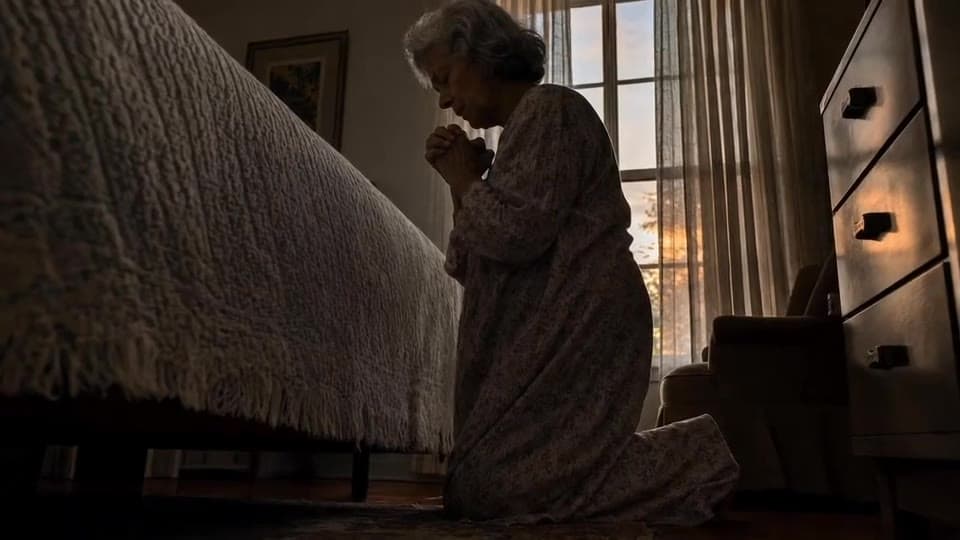
1:06“A mother, a grandmother, a father, a grandfather that gets on their knees.”
The application. The soldier in the gap is someone praying.
Why it worked
Same sermon.
A clip people stop for.
Most sermon clips are a camera on a stage. They work for people who already know the preacher. Everyone else scrolls past before the first sentence ends. Here is what this one did differently.

How to make sermon clips with AI
Start with the sermon.
Then direct what they see.
You do not need a camera crew, a stage or new footage. You need a passage worth hearing and a picture for every line of it. Here is the workflow behind this clip.
The soldier was created once, so he is the same man in every shot.
- 01
Pick a passage with one strong picture
Look for 60 to 90 seconds where the preacher paints a single image. Pastor Adam Mesa’s sermon on Ezekiel 22:30 already had one: a soldier holding the breach while the wall is rebuilt. A clip built around one picture is easy to watch and easy to remember.
One image, one turn, one ending.
- 02
Turn the passage into scenes and shots
Start a new project and paste the transcript, or upload the sermon audio, as your script. The studio breaks it into scenes and shots. Give each spoken line a shot that shows it: the wall under fire, the soldier in the breach, the parent on their knees.
If you can say it, you can show it.
- 03
Cast the picture, then generate
Create the recurring character once as an actor, like the soldier here, so he looks the same in every shot. Then direct each shot in Director Mode: who is in it, where it is, what happens and how the camera moves. Roll a take, review it, and roll again until it lands.
Person + place + action + camera.
- 04
Lay the sermon under the cut and post it
In Post-Production, add the sermon audio to the timeline and line each shot up with the line it shows. Export, then post with one clear ask in the caption. This clip asked viewers to comment a single word, and that conversation is what carried it.
The preacher’s voice stays the star.
Your first shot
Start with one image.
Make it yours.
Find the picture in your own sermon. Create your main character as an actor, then paste this starter into a shot in Director Mode and tag your actor in place of @Soldier.
A reusable example, adapted from the final shot of this clip.
Starter prompt / The gap
Cinematic, photoreal. Golden hour. @Soldier stands alone in the breach of a broken ancient city wall, shield on his arm and sword lowered, facing a vast army on the plain beyond. Smoke drifts through the gap and rubble covers the ground at his feet. Slow push-in from behind him, then cut to a close-up of his face: steady, unafraid. Natural sound only: wind, distant drums, the army shifting. No dialogue. No music.
Before your first clip
Questions about AI sermon clips.
- How do you make engaging sermon clips?
- Choose a 60 to 90 second passage built around one strong picture, then show that picture instead of the pulpit. In Pray Production Studio you paste the passage or upload the sermon audio, the studio breaks it into shots, and you generate a visual for every line. Lay the sermon audio under the cut, export, and post with one clear ask in the caption.
- How long should a sermon clip be for Instagram Reels or TikTok?
- Long enough to finish one idea. This clip runs 1:29 and holds a single picture from start to finish: the breach, the soldier, the turn to the viewer’s life, and the gap. Cut where the thought ends, not where the timer says.
- Do I need footage of the pastor on camera?
- No. Every shot in this clip was generated. The only recorded element is the sermon audio. If you do want your pastor on screen, Director Mode can use filmed footage as a video reference and place them inside the scene.
- Why did this sermon clip get 79K views?
- It opens on a picture, not a pulpit. Every line is shown as it is preached. Halfway through, it turns from an ancient battlefield to a teenager, a grandmother and a family at a bedside, so viewers see their own lives in it. And the caption asks for one simple comment, which keeps the conversation going.
- Is this a sermon clipper?
- No. A sermon clipper cuts short clips from video you already have. Pray Production Studio generates new visuals for the message itself, so a sermon that was only ever recorded as audio can still become a cinematic clip.
- How much does it cost to make a sermon clip with AI?
- This 1:29 clip used $83 in generation cost. Pray Production Studio uses subscription plans with generation credits. Cost depends on the engine, the length of each shot and the number of takes you roll, and every generation shows its estimate before you roll. Start with one short clip to learn the workflow.
- Can I use our own sermon audio?
- Yes, as long as your church owns it or has permission to use it. Paste the transcript or upload the audio as your script, then add the same audio to your timeline in Post-Production.
Your sermon. Seen.
Your message deserves more
than a shot of the stage.
One passage. One picture. One clip people share.
Bring this Sunday’s sermon to life.
Pray Production Studio is made by Pray.com.