
Upload a photo or make one in the studio, then describe what moves.
Image to video AI generator
Seedance, Kling and Veo side by side. Pick the one that fits the shot.
The short answer
Pray Production Studio is best for animating a still with the model that fits the shot: Seedance, Kling and Veo side by side, in the same project as the rest of your video.
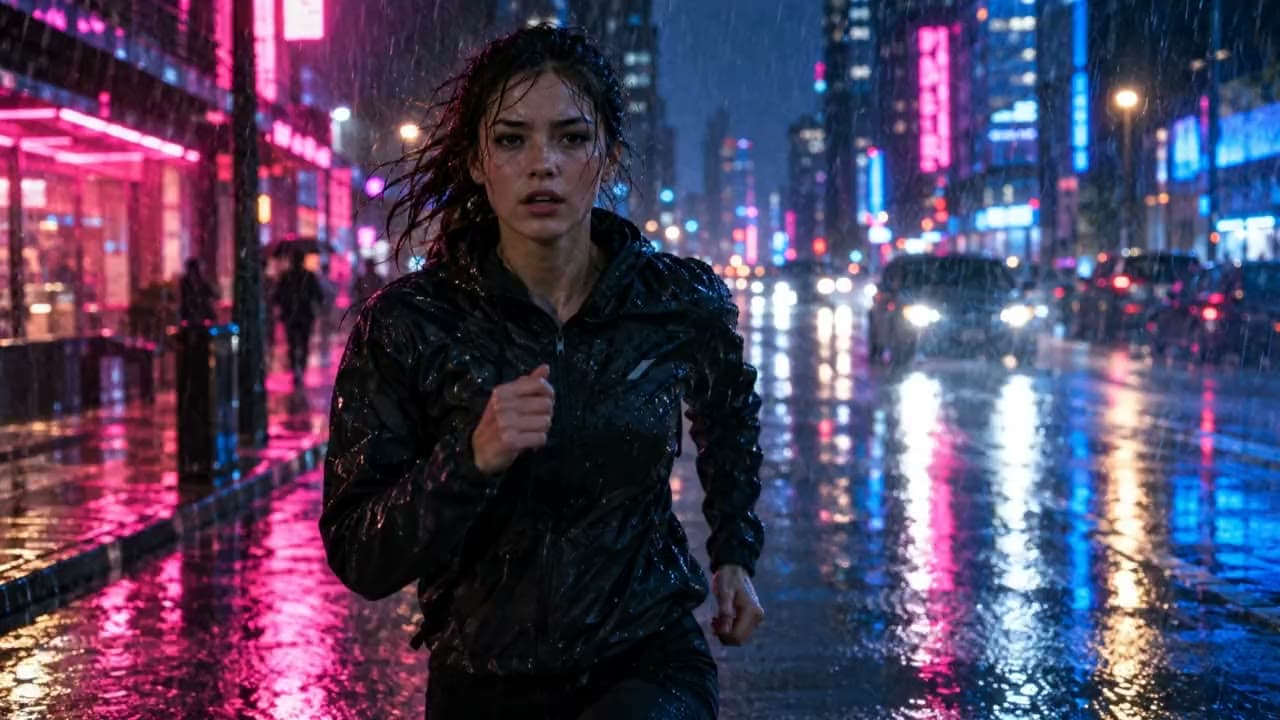
Upload a photo or make an image in the studio, describe what moves and how the camera moves, and pick a model. Below, the same start image went through four models with the same prompt, 8 seconds at 1080p, with no edits.
Same image. Every model.
One start image, four models
A runner in the rain
Prompt: A woman sprints through heavy rain down a neon-lit city street at night, splashing through puddles. The camera tracks backward in front of her at running speed. Rain streaks through the light, her breath fogs, and a car's headlights sweep past behind her.
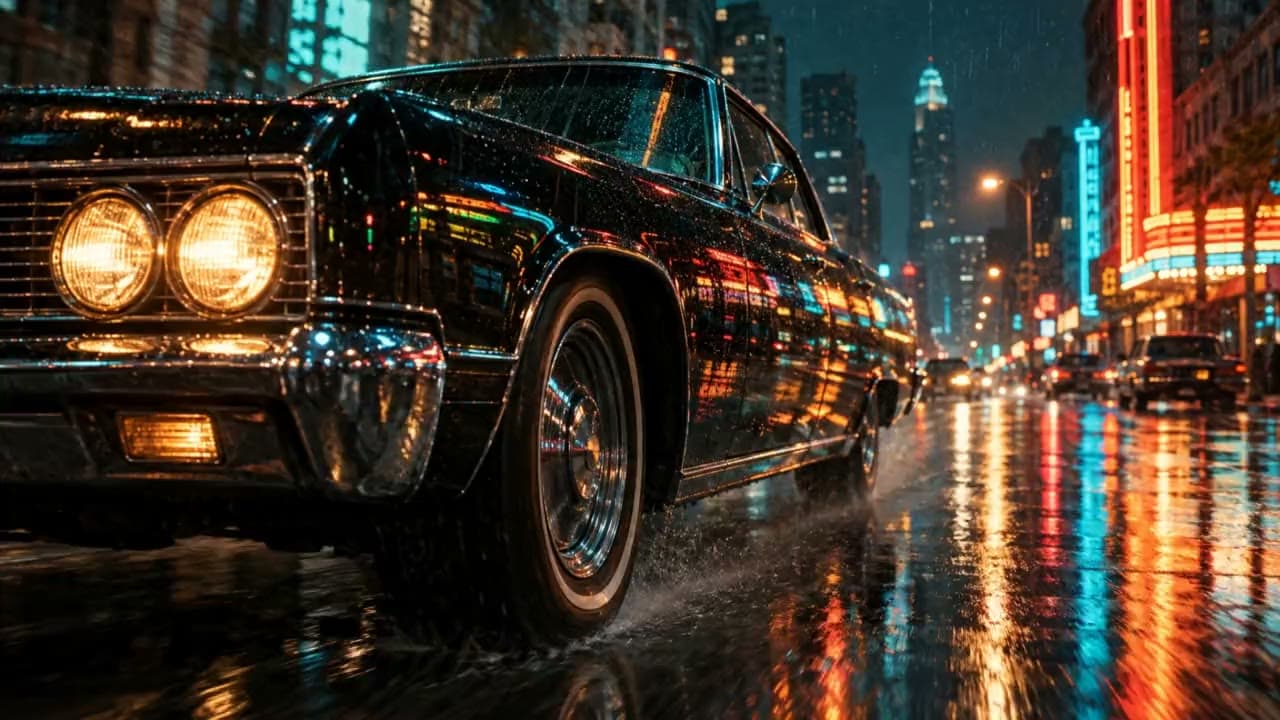
A car at night
Prompt: A vintage black car drives slowly along a wet city street at night. The camera glides low beside the front wheel, then rises to reveal the driver through the side window. Neon signs reflect and ripple across the wet paint and the road.
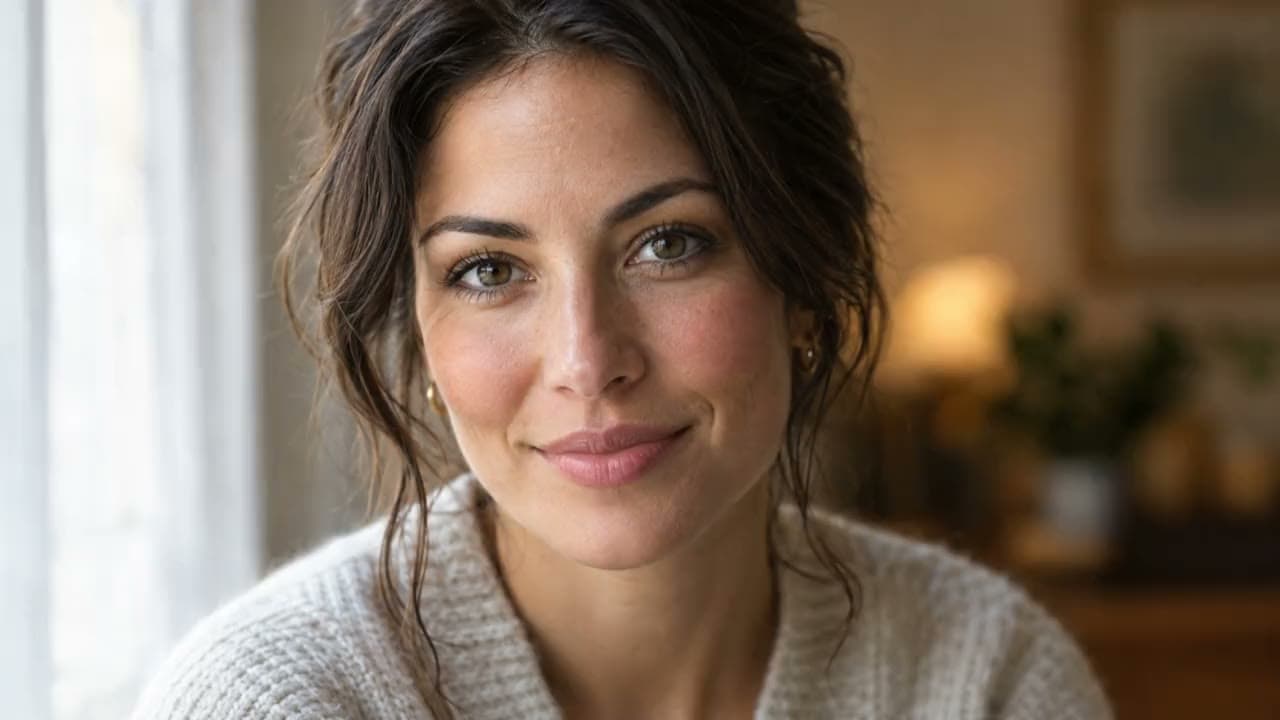
A close-up with a spoken line
Prompt: Close-up of a woman looking into the camera. She smiles slightly and says, "You only get one first impression, so make it count." Soft window light, shallow depth of field, a slow push-in.
Real takes. Real prompts.
More ways to start from a picture
How it works
How to turn an image into a video
- 1
Add your image
Upload a photo or make one in Image Studio. In Storyboard Mode any shot can start from an image you upload or generate.
- 2
Describe the motion
Say what moves, how the camera moves and, if someone speaks, the line in quotes.
- 3
Pick a model and a length
Seedance 2.5 runs up to 30 seconds, Kling 3.0 runs up to 15 seconds and Veo 3.1 runs up to 8 seconds. The credit cost shows before you generate.
- 4
Keep it or cut it in
Download the clip, or keep it on its shot and cut it into the rest of your video on the timeline.
Questions, answered
How do I turn an image into a video with AI?
Upload the image or make one in Image Studio, press Animate, describe what should move and how the camera moves, pick a model and a length, and generate. If the take is not right, change the prompt and roll it again.
Which AI model is best for image to video?
It depends on the shot. Seedance 2.5 is best for multi-shot scenes with sound: up to 30 seconds and many cuts from one prompt. Seedance 2.0 is best for lower-cost clips up to 15 seconds, with Fast and Mini tiers for quick tries. Kling 3.0 is best for turning a still image into lifelike motion, 3 to 15 seconds a clip. Veo 3.1 is best for short, realistic shots with natural sound, up to 8 seconds. The comparison on this page runs the same image and prompt through all four.
How long can an image-to-video clip be?
Each clip runs 4 to 30 seconds on Seedance 2.5, 4 to 15 seconds on Seedance 2.0, 3 to 15 seconds on Kling 3.0 and 4, 6 and 8 seconds on Veo 3.1. For something longer, cut several clips together on the timeline.
Can an image-to-video clip have sound?
Yes. Seedance and Veo generate dialogue and sound effects with the picture, and Kling 3.0 adds sound when you turn it on. Narration and music can go on the timeline too.
How much does image to video cost?
In Pray Production Studio you spend credits on what you generate, and every Generate button shows the exact cost before you run it. A 10-second Seedance 2.5 clip uses about 335 credits at 720p, and a 10-second Kling 3.0 clip about 183. Plans start at $19 a month with 1,000 credits.
Make it move
Upload a photo or make one in the studio, then animate it with the model that fits the shot.