
Save a character once, from a photo or a description.
Consistent characters in AI video
The same face, body and outfit in every shot, every scene and every model.
The short answer
Pray Production Studio is best for keeping the same character in every shot of a story: save a face once as an Actor, or add a photo as a reference, and every shot reuses it.
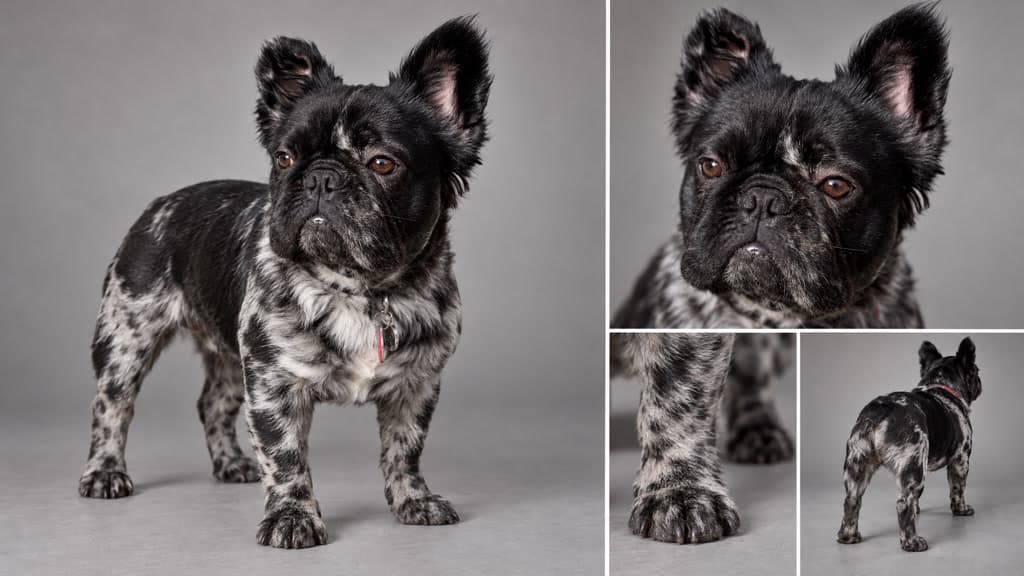
Most AI video tools make one clip at a time, so a face drifts from shot to shot. In Pray Production Studio a character is saved once, as a sheet of the face and the full body from the front, side and back, and that same reference goes into every shot the character is in.
One reference. Every shot.
One photo, the same dog in every shot
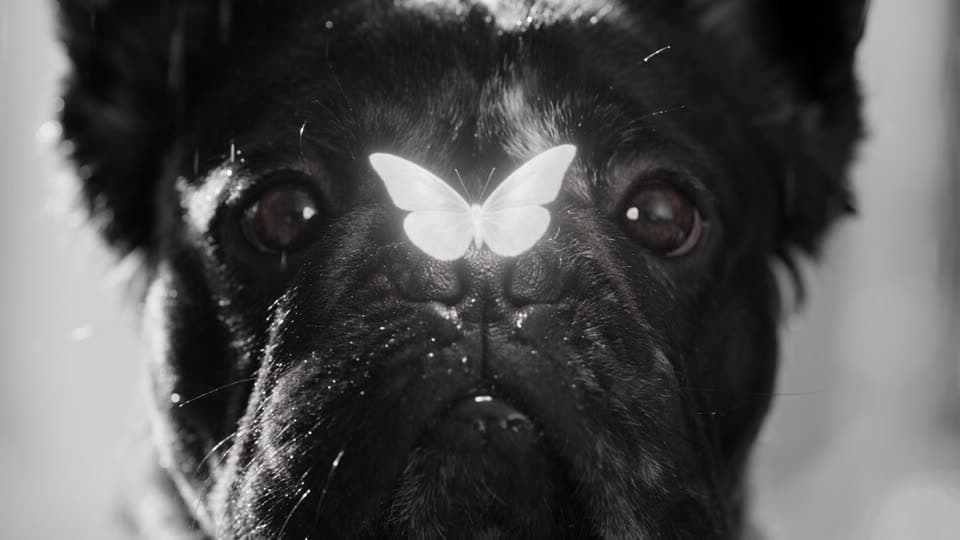
Shot 1 · Macro close-up
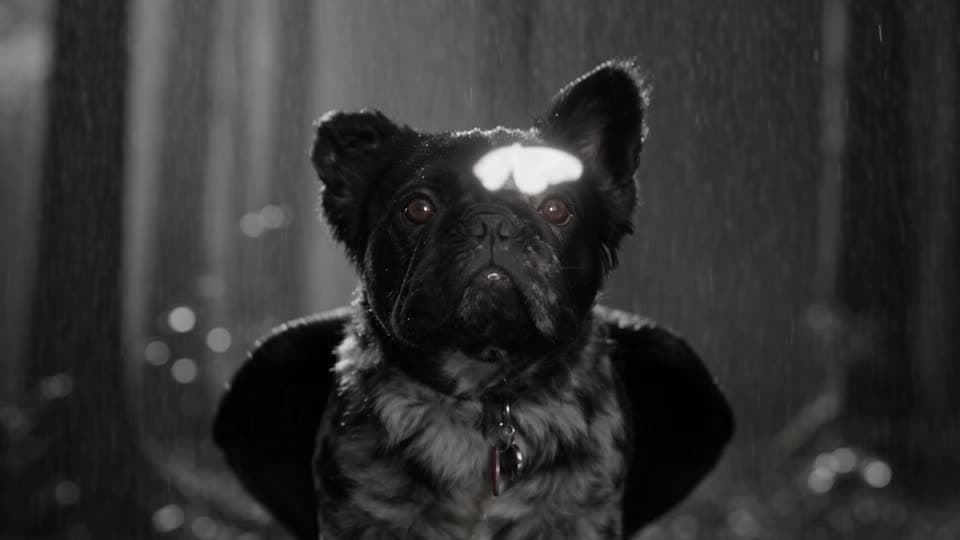
Shot 2 · Close
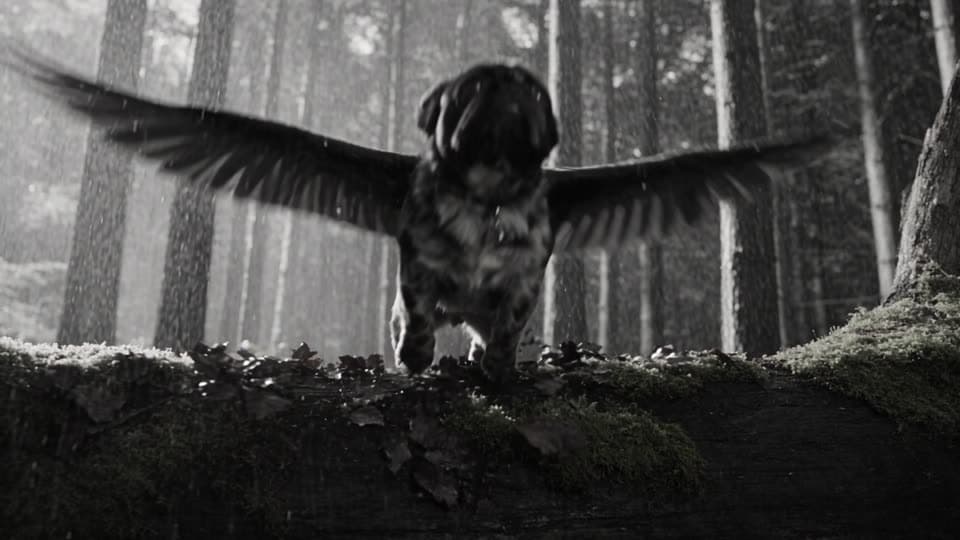
Shot 3 · Low angle
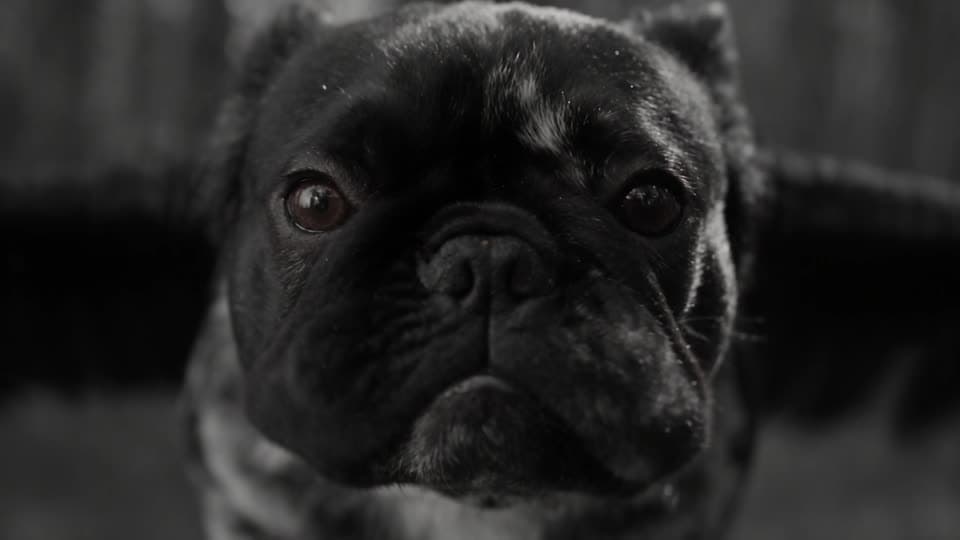
Shot 6 · Close-up in flight
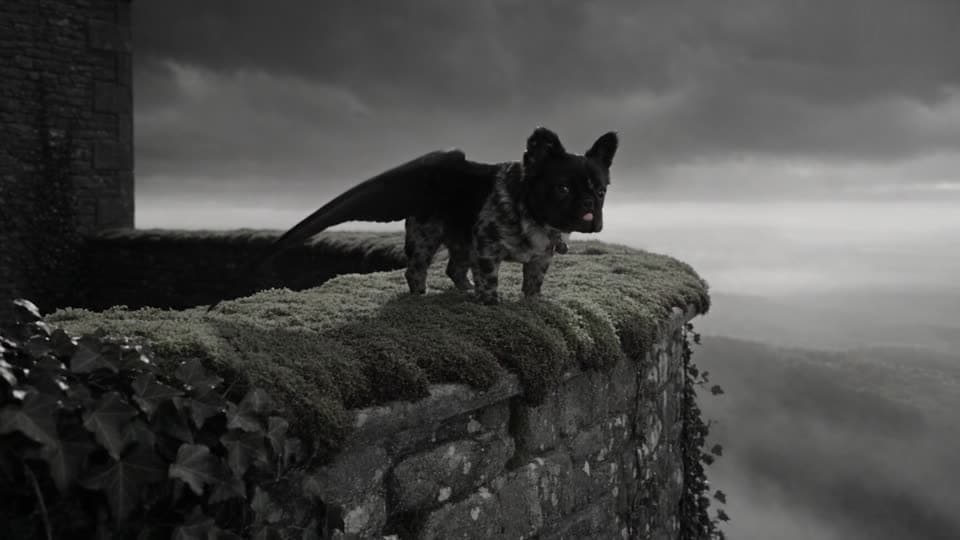
Shot 12 · On the wall
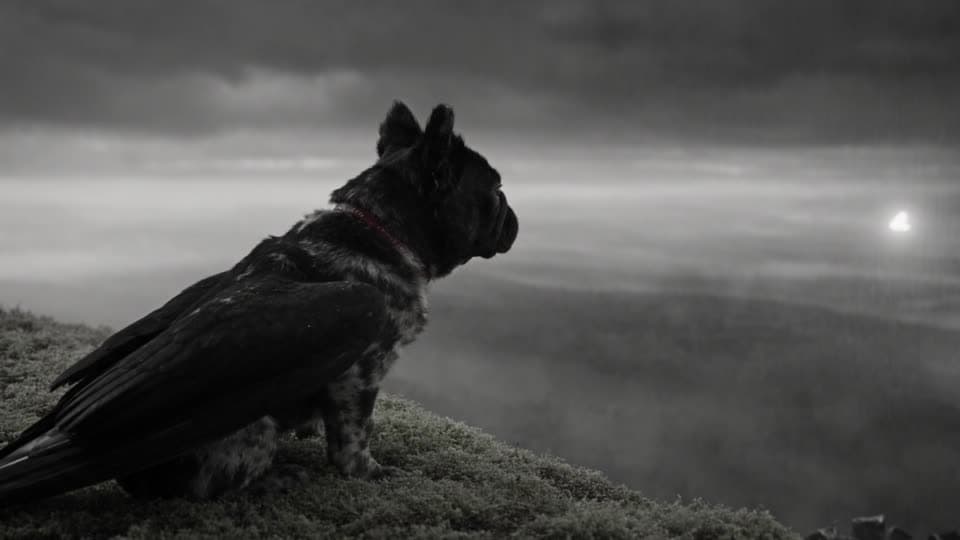
Shot 13 · Side profile
Real takes. Real prompts.
Characters that hold
One photo, a whole film
The whole film: the same dog from the first close-up to the last shot, from one reference sheet and one prompt.
Two characters through thirteen cuts
Describe each character once at the top of the prompt, and both keep their hair, wings and clothes through every cut of a 30-second generation.
The same face while she speaks
Start from an image of your character and the face holds while she moves, smiles and says the line from the prompt.
How it works
How to keep a character consistent
- 1
Save the character as an Actor
Start from a photo or a description. The studio makes a character sheet: the face up close, and the full body from the front, the side and the back.
- 2
Cast or tag it in every shot
Cast the Actor in a scene, or tag it with @ in a prompt, and that sheet goes into every shot it is in.
- 3
Add references for the details
Attach up to 30 reference images to a Seedance 2.5 shot for a costume, a prop or a place.
- 4
Give the character a voice
Design a voice from a description, or clone a recording you have permission to use, and every line that character reads sounds the same.
Questions, answered
How do I keep a character consistent in AI video?
Save the character once and reuse it. In Pray Production Studio you make an Actor from a photo or a description, which gives you a character sheet of the face and the full body from the front, side and back. Cast that Actor in a scene, or tag it in a prompt, and every shot gets the same reference.
Can I use a photo of my own pet or a real person?
Yes, for anyone whose image you have the right to use. Add the photo as a reference, or build an Actor from it. The Flying Frenchie was made from one photo sheet of a French bulldog.
How many reference images can one shot use?
Up to 30 on Seedance 2.5 and 9 on Seedance 2.0, so a shot can carry several characters, their props and the place at once.
Does a character stay the same across different video models?
Yes. In Storyboard Mode each shot’s image is made from the Actor’s references first, and any model animates that image, so one film can mix Seedance, Kling and Veo shots of the same character.
Can a character keep the same voice too?
Yes. Give an Actor a voice, designed from a description or cloned from a recording you have permission to use, and narration and dialogue in that voice stay the same across the film.
How much does it cost to make a video with consistent characters?
In Pray Production Studio you spend credits on what you generate, and every Generate button shows the exact cost before you run it. A 10-second Seedance 2.5 clip uses about 335 credits at 720p, and a 10-second Kling 3.0 clip about 183. Plans start at $19 a month with 1,000 credits.
Cast once
Make an Actor from a photo or a description and keep the same face in every shot of your story.