
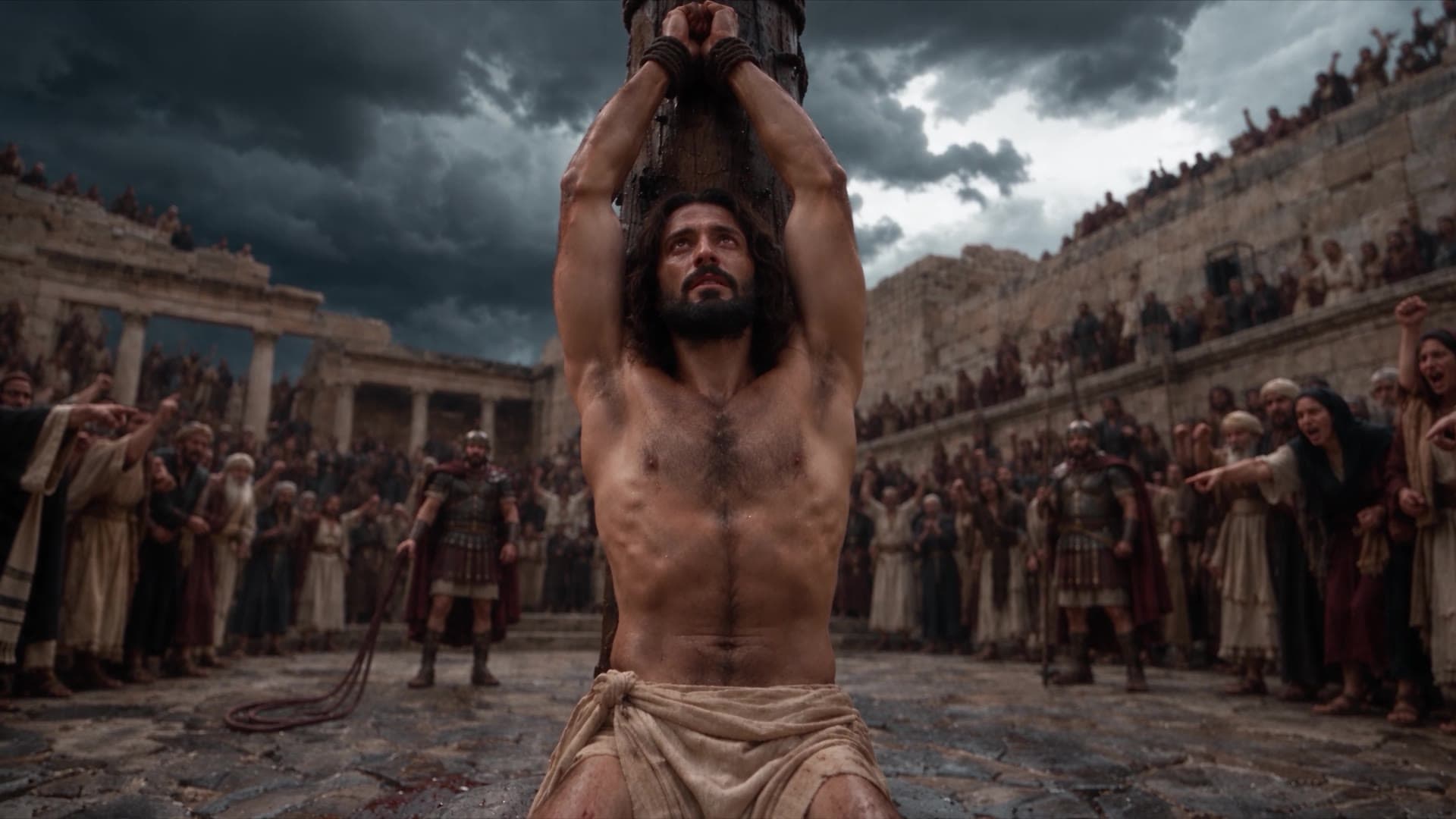
Bible in a Year · Episode 213 · Made in Director Mode
Direct it.
Don’t generate it.
The Crucifixion was made with AI, one shot at a time, by one filmmaker on the PRAY team. It does not look like AI slop because every shot was directed: the sky, the lens, the cuts, the sound, and what the camera refuses to show. Here are the real prompts, and how to make a film like it yourself.
Every shot generated. Every shot directed.
- Takes rolled
- 125
- Made in
- Director Mode
- Length
- 5:09
- Engine
- Seedance 2.5
Watch the film
The Crucifixion.
Bible in a Year, episode 213.
The scourging in the Roman courtyard, the crown of thorns, and the road out of the city. It is hard to watch, the way it should be.
How The Crucifixion was made: every shot was generated in Pray Production Studio Director Mode on Seedance 2.5, from its own written prompt. 125 takes were rolled for the episode, most of them as 480p drafts; the keepers were finalized at 1080p and cut together with a score made from its own prompt.
The short answer
How to direct an AI Bible film,
not just generate one.
- 01
Write it like a director.
Describe where you are, who is there and what the sky is doing, then list the shots in order: a drone wide, the crowd, an insert. One 30-second take comes back as several cuts.
- 02
Tell it what not to show.
One line, "we do not see a closeup of Jesus", turned the opening into suspense. Two of the first fourteen shots show his face. The audience waits for it.
- 03
Draft cheap, finalize the keeper.
Roll takes as 480p drafts, keep the one that works, and finalize that same take at 1080p. Score the film separately, so the music never fights the cut.
The tutorial
How to make a film like this
in Director Mode.
- 01
Start every prompt with the same line
No music, natural sound only, and an anamorphic lens. Every prompt in both Crucifixion episodes opens with it, so every take matches and none carries a score of its own.
- 02
Write the scene, then list the shots
Talk to the engine the way a director talks to a crew: the place, the people, the weather. Then number the shots. The courtyard prompt asks for four and gets four, in order, in one take.
- 03
Or let the AI do the cutting
Write "AI cuts dynamically between the closeup macro shots" and the take comes back as coverage: shot 2 take 2 cut itself six times in thirty seconds.
- 04
Start from one sentence with Enhance Prompt
Type the idea, click Enhance Prompt on the slate, and it becomes a directed prompt you can edit. Enhance Prompt is free.
- 05
Tell it what not to show
Restraint is a prompt. Hold back the face, the wound or the blow, and the scene gets stronger.
- 06
Ask for an extreme macro close-up
Pick the object that matters, the thorns or the whip, and ask for a macro insert. Then put the camera in his eyes with a point of view shot.
- 07
Write the sound into the shot
"We hear the scream of pain echoing as the camera pulls out slowly." The engine generates the sound with the picture, and the line tells it how the two move together.
- 08
Draft at 480p, finalize at 1080p
Most of the 125 takes were 480p drafts. Only keepers were finalized, and a final renders the same take, cut for cut.
Step one · The first line
Every prompt
starts the same way.
Before the scene, before the shots, every prompt in both Crucifixion episodes opens with the same sound and lens line. It is what makes 125 separate takes cut together as one film.
Step two · Write the scene
Talk to it like a crew.
Then list the shots.
Say where you are, who is there and what the sky is doing. Then number the shots. This 20-second take of the courtyard prompt came back as the four shots it asks for, in the order they are written.
Scene Action: Jesus is tied to the post in the middle of the Roman courtyard, kneeling on the cobblestone. He is shirtless, and his back is to the wooden post. A hundred people stand around the edges of the courtyard, all filled with hatred, their faces twisted with rage. A Roman soldier with a black cloth over his head holdings a terrifying looking cat-of-nine-tails whip. The business end of the whip lies on the ground, ready to action. It's cloudy above in the sky, dark and foreboding gray clouds. Jesus' knees are on the cold hard stone below, and dark red stains adorn the post and ground underneath him.
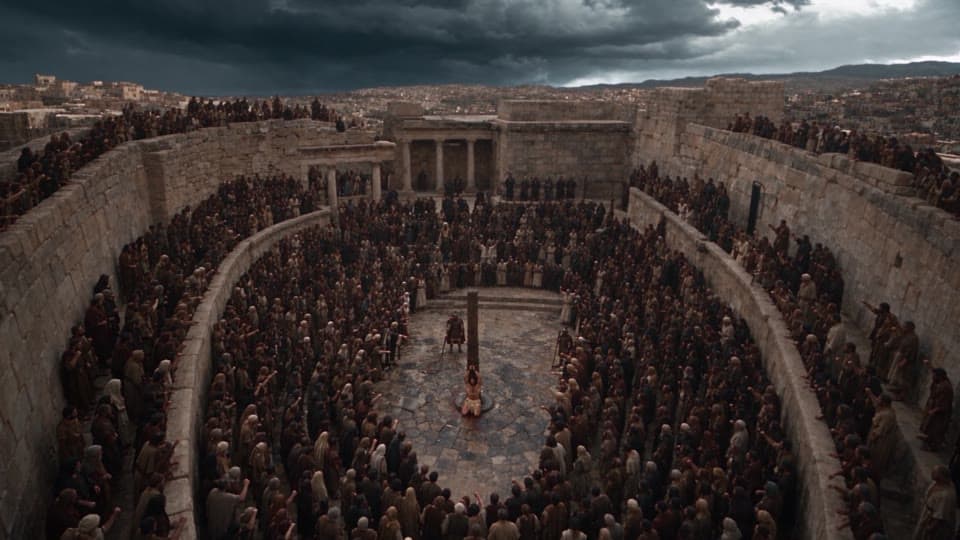
Shot 1 · Drone camera.
SHOT 1: WIDE ANGLE SHOT of the entire scene, seen from high above the courtyard.
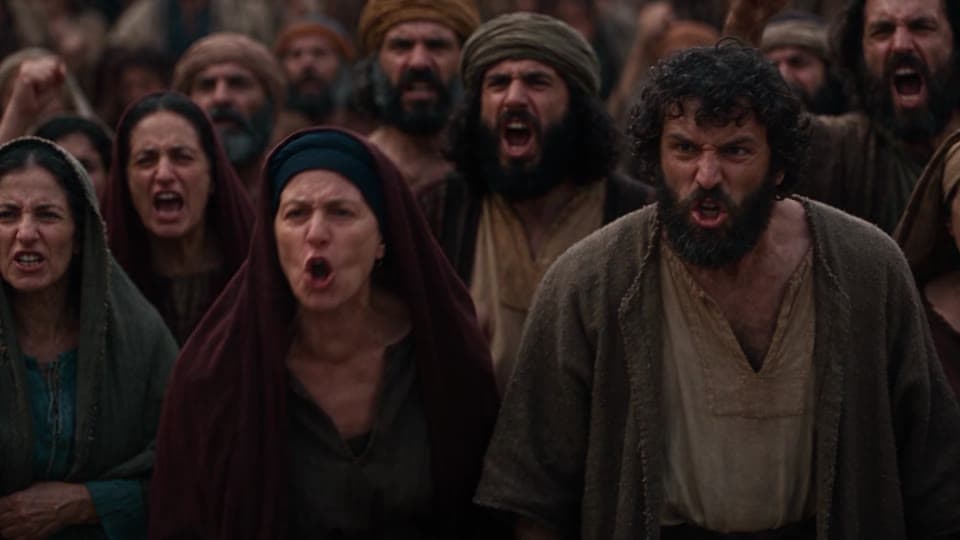
Shot 2 · The angry mob.
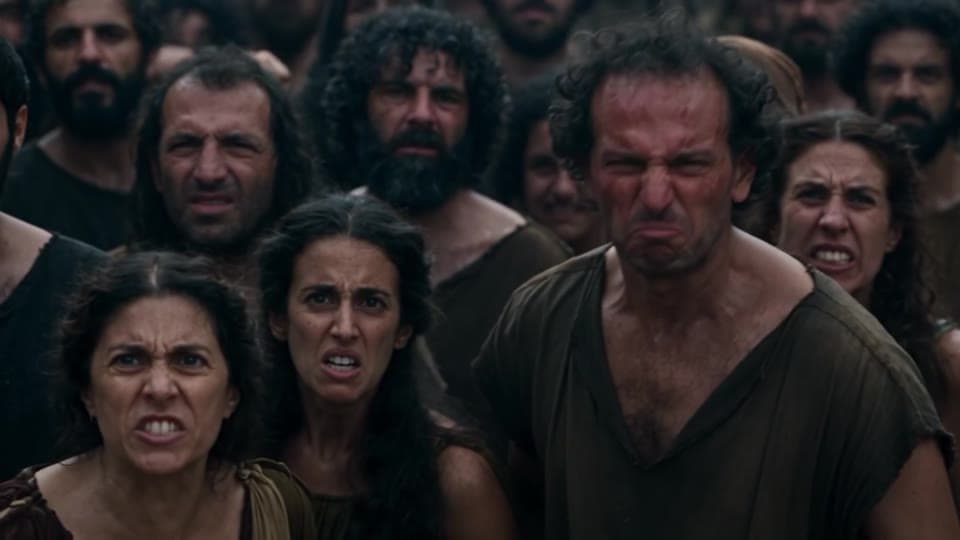
SHOT 2: Medium shot of the crowd of people.
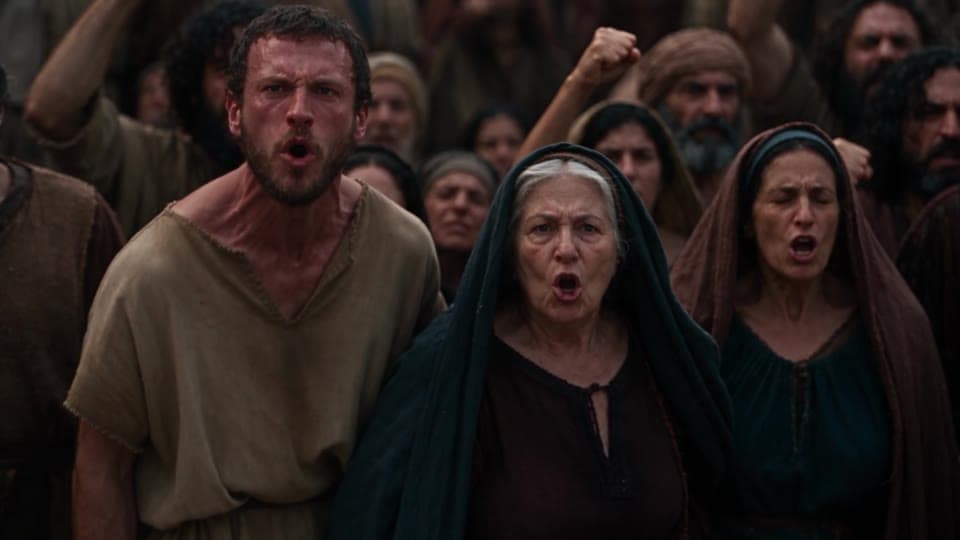
Shot 3 · More of the crowd.
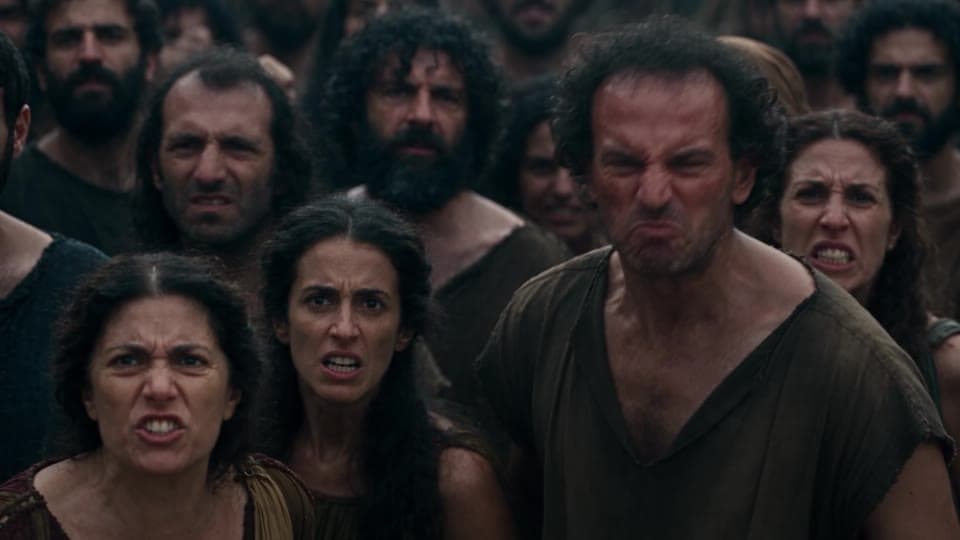
SHOT 3: Another medium shot of the crowd of people, a different set of people.
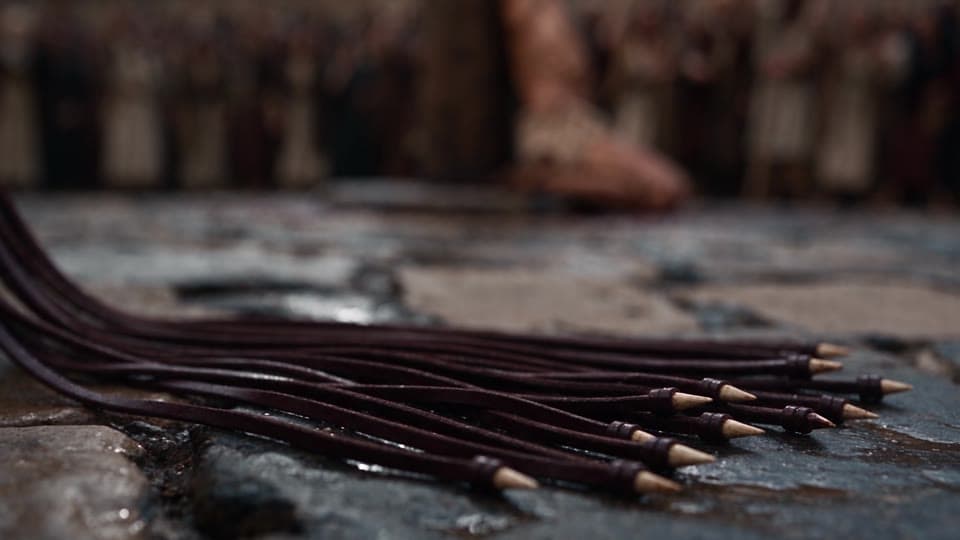
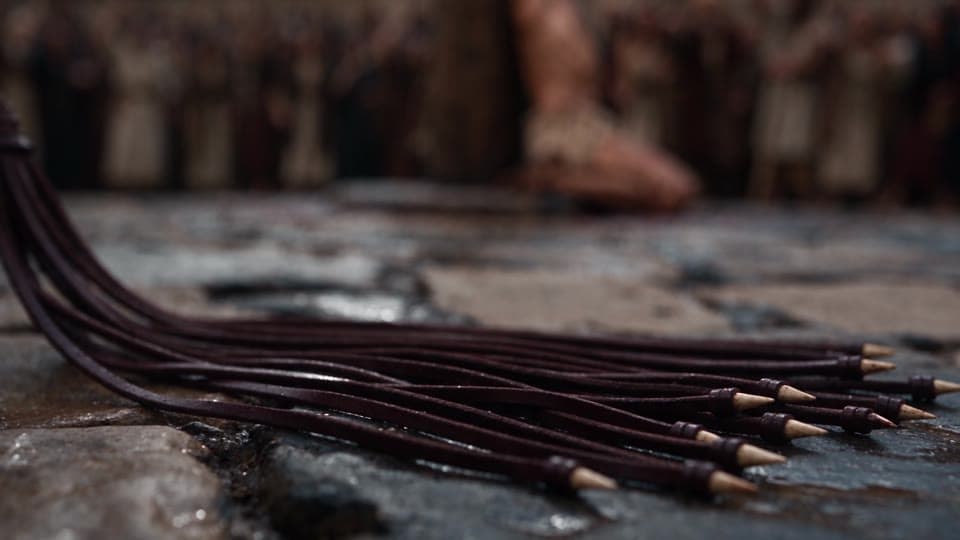
Shot 4 · The whip on the stones.
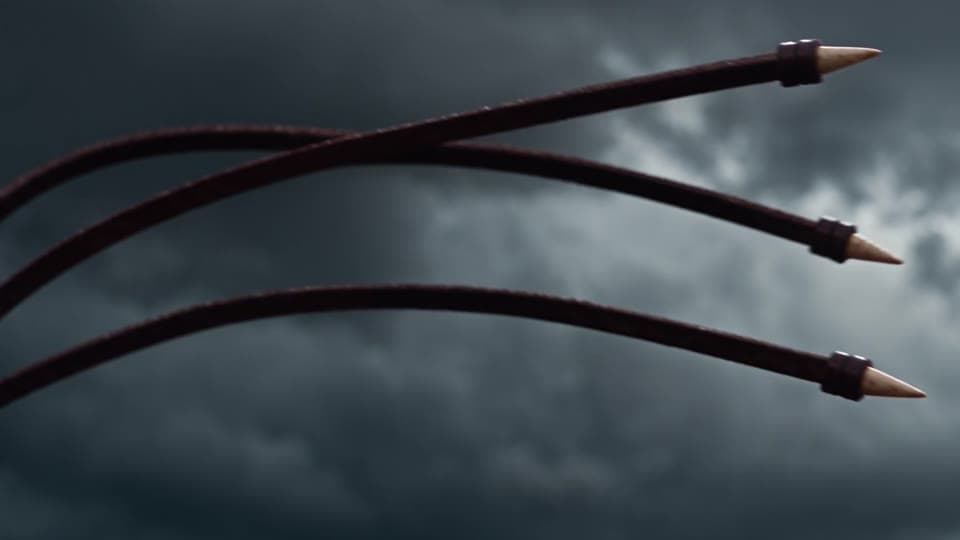
SHOT 4: Extreme macro closeup shot of the business end of the cat-of-nine-tails.
Step three · Let the AI cut
One line,
and the take cuts itself.
When the order matters less than the coverage, describe the moments and hand the cutting to the engine. Shot 2, take 2 came back with seven shots in thirty seconds.
AI cuts dynamically between the closeup macro shots.
 Cut 1
Cut 1 Cut 2
Cut 2 Cut 3
Cut 3 Cut 4
Cut 4 Cut 5
Cut 5 Cut 6
Cut 6 Cut 7
Cut 7
Starting from one sentence? Type it into the slate and click Enhance Prompt. It turns the idea into a directed prompt you can edit before you roll, and it is free.
Step four · Restraint is a prompt
Tell it
what not to show.
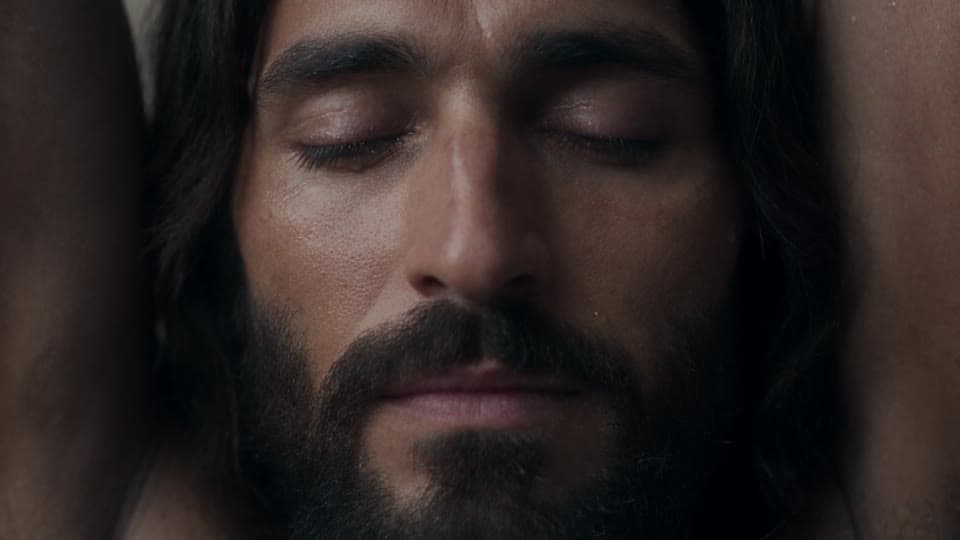
The first keeper of the courtyard ended on a close-up of Jesus. The filmmaker added one line and rolled it again. The close-up is gone, and the opening became suspense.
Throughout the scene, we do not see a closeup of Jesus, only out of focus background moments can he be seen.
 01
01 02
02 03
03 04
04 05 · his face
 06
06 07 · his face
 08
08 09
09 10
10 11
11 12
12 13
13 14
14
Two of the first fourteen shots show his face. Everything else is the crowd, the soldier and the whip. Make your audience wait for the face.
Step five · Inserts, point of view, sound
Pick the object that matters.
Then write what we hear.
Objects are where AI video is strongest: no face to drift, no hands to break. Ask for an extreme macro close-up of the thing that matters, put the camera in his eyes once, and write the sound into the shot.
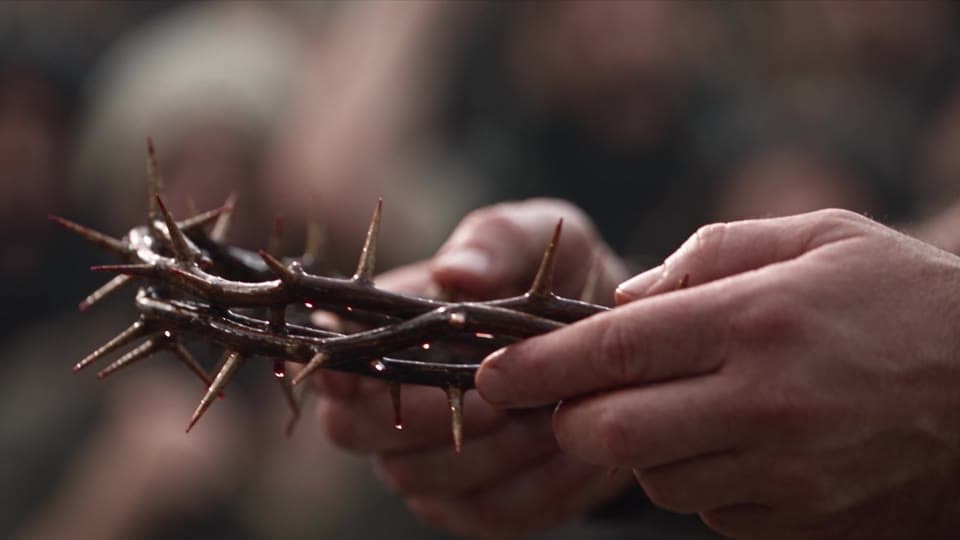
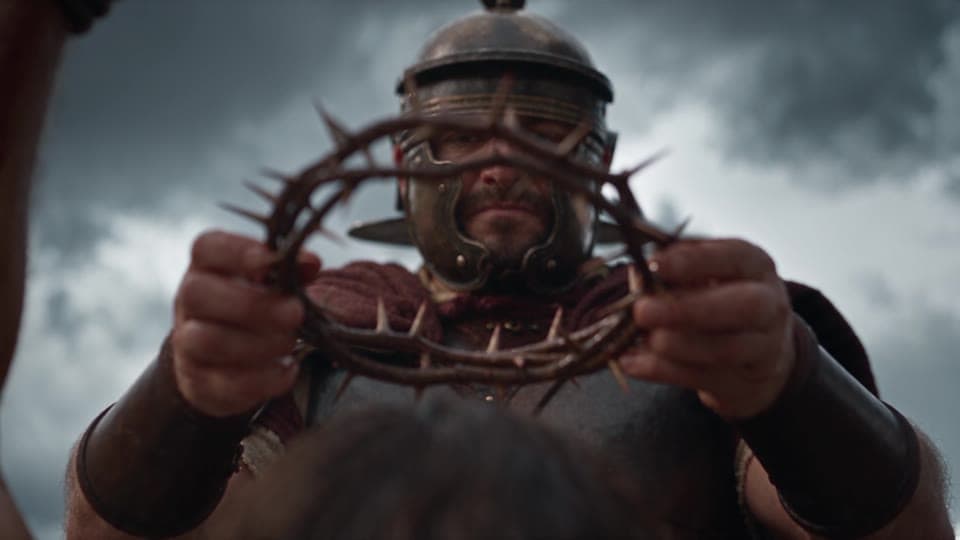
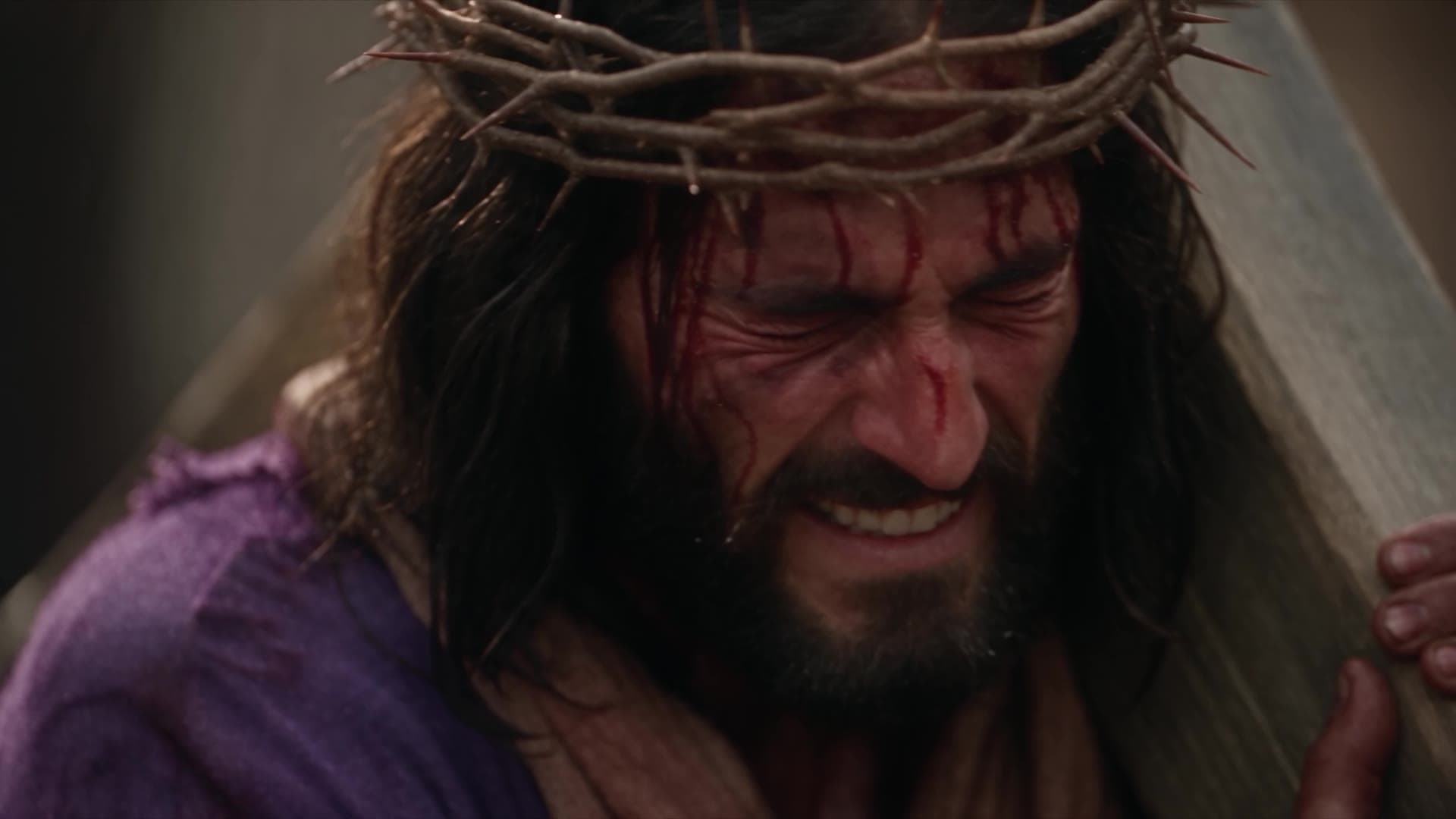
The soldier stands in front of Jesus, lifts the crown and we see Jesus' POV of the soldier standing over him, in front of him, holding up the crown of thorns. The soldier then places the crown on Jesus head, and presses it down angrily. we see closeups of the thorns on Jesus forehead, and we see him wincing in pain yelling in agony. Every shot is as if in slow motion. AI cuts dynamically to the action as directed. After the crown is pushed on his head, cut to an extreme wide aerial shot from high above of the scene from this moment. we hear the scream of pain echoing as the camera pulls out slowly.
Step six · Draft, keep, finalize
The keeper is rarely
the first take.
125 takes were rolled for this episode, most of them as 480p drafts. When a draft works, Finalize renders the same take at 1080p, cut for cut, so full price is only ever paid for a keeper.
The full prompts
Every word,
exactly as it was rolled.
Three shot prompts from episode 213 and a music prompt from its project, copied from what the takes were generated from. Keep the structure, change the story.
Scene 1, shot 1 · the courtyard
NO BACKGROUND MUSIC, no music, no instruments, no score. Audio is natural sound effects and dialogue only. Lens: anamorphic lens, oval bokeh, cinematic widescreen character.

Scene Action: Jesus is tied to the post in the middle of the Roman courtyard, kneeling on the cobblestone. He is shirtless, and his back is to the wooden post. A hundred people stand around the edges of the courtyard, all filled with hatred, their faces twisted with rage. A Roman soldier with a black cloth over his head holdings a terrifying looking cat-of-nine-tails whip. The business end of the whip lies on the ground, ready to action. It's cloudy above in the sky, dark and foreboding gray clouds. Jesus' knees are on the cold hard stone below, and dark red stains adorn the post and ground underneath him.

Throughout the scene, we do not see a closeup of Jesus, only out of focus background moments can he be seen.

SHOT 1: WIDE ANGLE SHOT of the entire scene, seen from high above the courtyard. Far below, we can see the crowd gathered on the edges of the courtyard. The many streets that twist around are also filled with people who have come to witness. In the center of the courtyard is the post, and Jesus is tied to it with his back against it, his knees on the cobblestone ground. The Roman soldier stands nearby with the whip. But this is all small in frame as this is the high angle extreme wide establishing shot. Drone camera.

SHOT 2: Medium shot of the crowd of people. They are angry, hateful and looking on at Jesus with contempt. They are yelling in anger, like an angry mob. They yell things like, "Save yourself if you're the messiah!" and "Death!"

SHOT 3: Another medium shot of the crowd of people, a different set of people. They are angry, hateful and looking on at Jesus with contempt. They are yelling in anger, like an angry mob. They yells things like, "No one can save you now!" and "Crucify him!"

SHOT 4: Extreme macro closeup shot of the business end of the cat-of-nine-tails lying on the cold cobblestone. Small, very sharp pieces of bone have been tied to the thin leather strips. It's ominous. It's lying on the ground, and the camera dollies to the right reveling more of the whip as the camera moves. In the out of focus background are the yelling people, shaking fists and angry.
Scene 1, shot 2 · the AI cuts
NO BACKGROUND MUSIC, no music, no instruments, no score. Audio is natural sound effects and dialogue only. Lens: anamorphic lens, oval bokeh, cinematic widescreen character.

Scene Action: We never see the whip landing. We only see closeups of Jesus' face wincing, insert details of angry crowd members, and all in slow motion. We can hear the cracking of the whip each time Jesus' winces in pain. But his chest and body is never shown. We see a profile closeup of red liquid dripping onto the cobblestone from Jesus garment and legs. We see macro details of the sharp bones of the whip flying up through the air, the sky in the background. What's really happening is implied. Show a true profile side angle of Jesus wincing, his mouth opening in a gutteral scream, eyes squeezed closed.

AI cuts dynamically between the closeup macro shots.
Scene 1, shot 3 · the crown of thorns
NO BACKGROUND MUSIC, no music, no instruments, no score. Audio is natural sound effects and dialogue only. Lens: anamorphic lens, oval bokeh, cinematic widescreen character.

Dark and gray day. No sun. only the ambient light from a dark cloudy day.

Scene Action: The Roman soldier has finished with the lashings of Jesus. Jesus is in immense pain, his teeth clenched and eyes closed. The crowd continues shouting, fists raised, hatred in their eyes. And now, another soldier walks up to Jesus carrying the crown of thorns. We see closeups of the crown in the solider's hands, slow motion. Always raging people in the background out of focus. Closeup of Jesus from a side profile angle. The soldier stands in front of Jesus, lifts the crown and we see Jesus' POV of the soldier standing over him, in front of him, holding up the crown of thorns. The soldier then places the crown on Jesus head, and presses it down angrily. we see closeups of the thorns on Jesus forehead, and we see him wincing in pain yelling in agony. Every shot is as if in slow motion.

AI cuts dynamically to the action as directed. After the crown is pushed on his head, cut to an extreme wide aerial shot from high above of the scene from this moment. we hear the scream of pain echoing as the camera pulls out slowly.
Music · the march
The slow and steady march of an army. The piece underscores their steady but painfully slow cadence. It drives, grinds, with powerful motivated rhythm, almost a dirge of the coming demise of thousands. It's slamming, with heavy drums and staccato strings. No brass, no synth, only the sounds of an ancient war march that has a build to a final slam. the song does not build too much, and it stays with the slow rhythm until the larger ending, and it does not become a full orchestra The overall mood is tense and dramatic, suspenseful, building dread with low dissonant strings.
Before your first film
Questions about directing AI video.
- How do you make a cinematic AI Bible film?
- Direct it shot by shot. In Pray Production Studio Director Mode each shot has its own prompt: start it with the same sound and lens line, describe the place, the people and the weather, then list the shots or let the AI cut. Draft at 480p, keep the best take, finalize it at 1080p, and score the film in the edit.
- Was The Crucifixion made with AI?
- Yes. Every shot of Bible in a Year episode 213 was generated in Director Mode on Seedance 2.5 by one filmmaker on the PRAY team. 125 takes were rolled for the episode, most of them as 480p drafts.
- Why do the prompts say no music?
- A video engine that adds music gives every take a different score, and the scores fight each other in the edit. Banning music in the shot keeps natural sound only. The music is made from its own prompt and laid in afterwards.
- What does Enhance Prompt do?
- It turns a short idea on the Director Mode slate into a fuller, directed prompt that you can edit before you roll the take. It is free to use.
- How do you show a violent Bible scene without showing everything?
- Tell the engine what not to show. Keep the camera on the crowd, the soldier and the objects, write the sound, and hold back the face or the blow. The audience imagines the rest, and the scene gets stronger.
- What is a 480p draft?
- A fast, cheaper render of a take at 480p. If it works, finalize it: the same take renders again at 1080p with the same cuts, so you only pay full price for the keeper.
Your story, directed
Create your own movie
today.
Write the scene. Direct the shots. Draft it cheap, finalize the keeper.
Everything in this film is in Pray Production Studio.
Pray Production Studio is made by Pray.com.