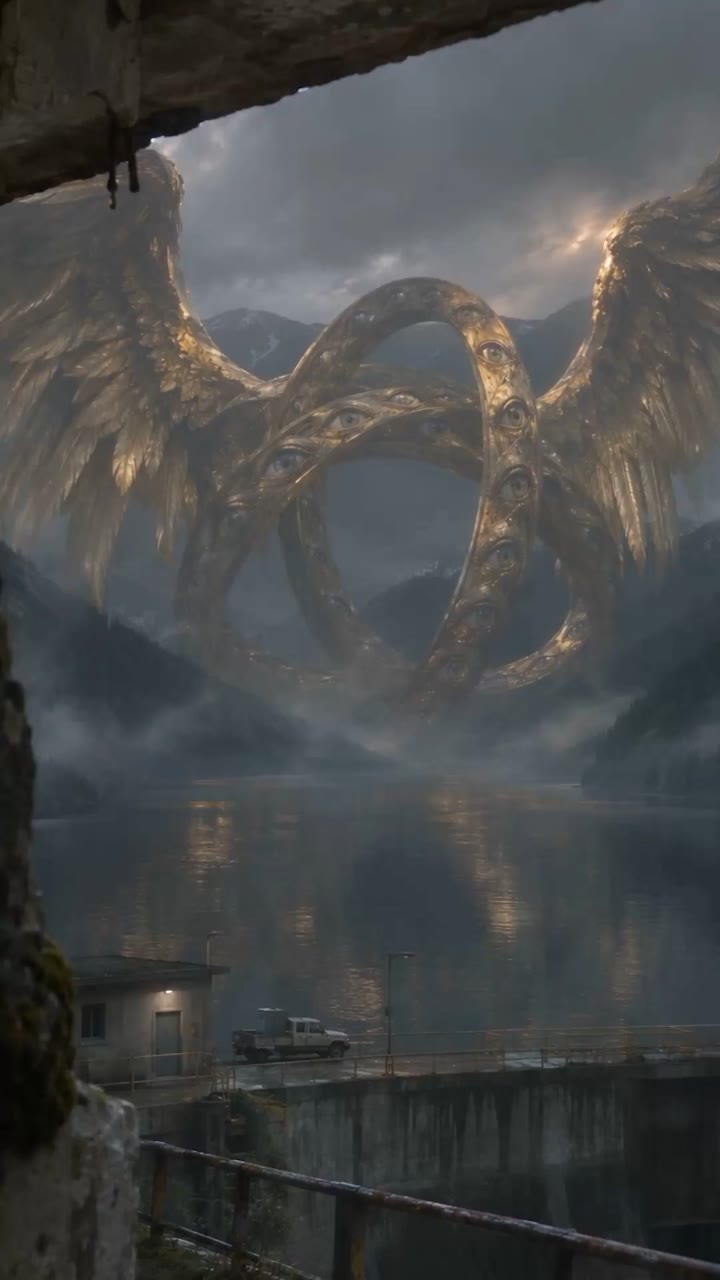
New in Image Studio · GPT Image 2.6
GPT Image 2.6 prompts
for wheels within wheels.
GPT Image 2.6 Sunburst is now in Image Studio in Pray Production Studio, and Max Bard used it to make these four Ophanim. Each one started as a single image from one prompt, and then he animated it with Seedance 2.5. All four prompts are below, in full, with a plain explanation of what each part does and a button that opens Image Studio with the prompt already filled in.
- Image model
- GPT Image 2.6 Sunburst
- Format
- 9:16
- Video
- Seedance 2.5
- Each clip
- 15 sec
The new model
What is GPT Image 2.6?
GPT Image 2.6 is OpenAI’s newest image model.
In Pray Production Studio it is in Image Studio in two versions: GPT Image 2.6 Sunburst, for rich detail, and GPT Image 2.6 Flare, which is fast and versatile.
On GPT Image 2.6, Image Studio can export your result as an Image, an SVG or a GIF.
Any image you make there can be turned into a video with the Animate button, using Seedance 2.5.
More on the model, including GPT Image 2.6 Flare, on the GPT Image 2.6 model page.
The images, the videos, the prompts
Four Ophanim made with
GPT Image 2.6 Sunburst.
In Ezekiel 1 the prophet sees wheels beside the living creatures, like a wheel in the middle of a wheel, with rims full of eyes. Ophanim is the Hebrew word for those wheels. These are artistic interpretations filmed as if someone were hiding nearby, not literal pictures of the text.
Two of the prompts describe a single still. The other two are written as a 15 second shot plan, the kind of prompt you write for Animate. GPT Image 2.6 Sunburst turned all four into the opening image, in the 9:16 story format, and each image was then animated with Seedance 2.5 and finished at 1080p.
01 · Written as a still
The Coastal Lookout
Four charcoal rings full of eyes hang over a North Atlantic coast, seen from a ruined stone lookout.
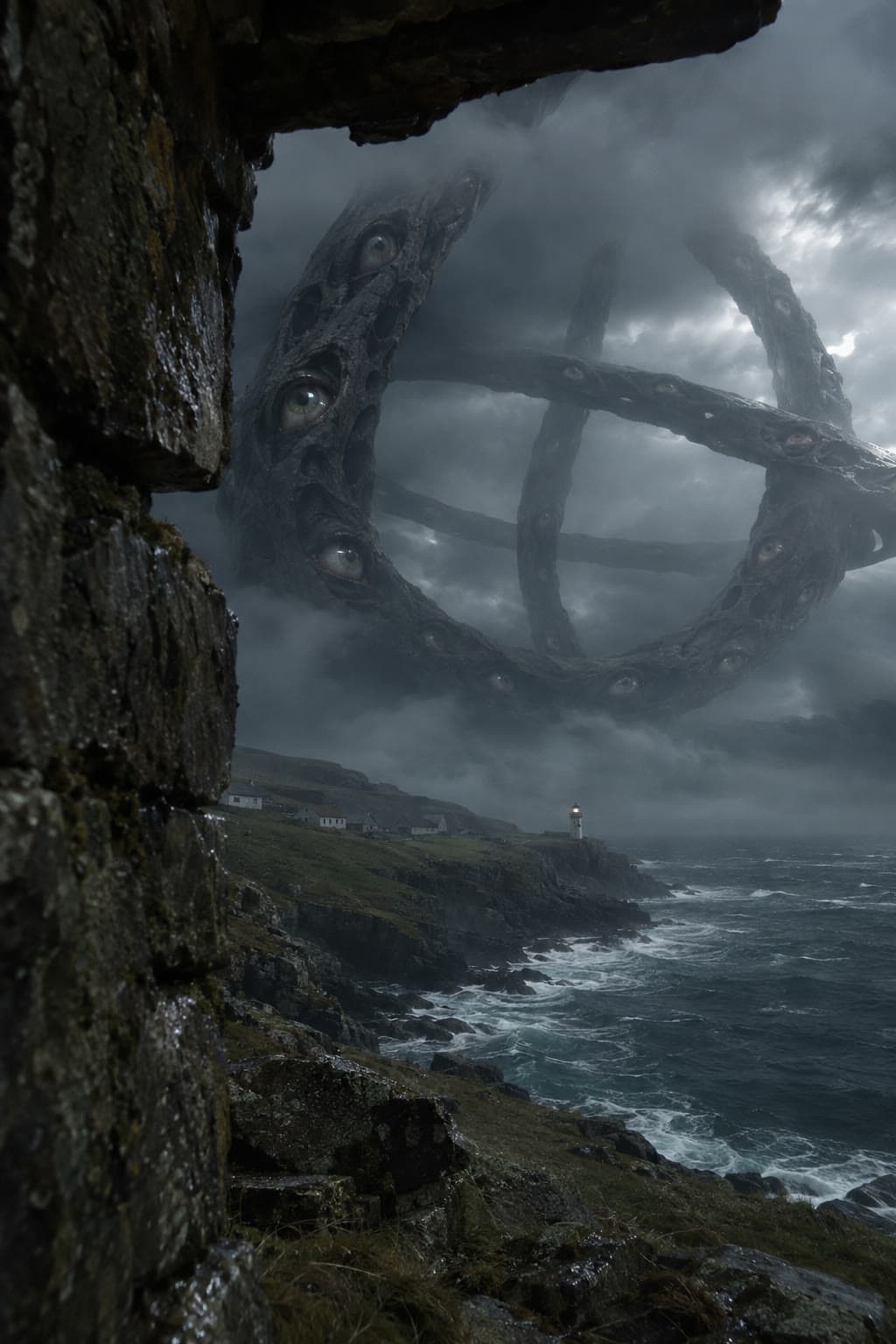
The full prompt · GPT Image 2.6 Sunburst, 9:16
Create one photorealistic vertical 2:3 cinematic paranormal found-footage still from the perspective of a frightened person hiding inside a ruined coastal lookout, barely peeking around a thick broken stone wall. No visible observer, hand, or camera. Very close damp basalt masonry occupies the left quarter, with a dark broken lintel at the upper edge. Through the opening, a remote rough North Atlantic coastline stretches below. A tiny lighthouse stands on a headland, small fishing cottages recede along the cliff, and the cold grey sea opens into distance. The foreground stone, distant headland and open ocean create powerful cinematic depth.

Far offshore, several kilometers away, a celestial Ophanim of impossible scale hangs over the sea. Four monumental interlinked wheel-like rings of porous charcoal-black mineral surround an empty dark center; one ring is almost vertical, another seen almost edge-on. They resemble an ancient living geological organism, not engineering, jewelry, an armillary sphere or a spacecraft. Many pale realistic wet eyes sit recessed in cavities along the massive rims, irregularly spaced and partly hidden by mineral folds. Their corneal reflections are restrained and physically believable, not luminous LEDs. The giant silhouette is wide and open enough to recognize intersecting wheels. The uppermost arc disappears into the low cloud ceiling; the lower rim hovers above distant sea mist. It dwarfs the lighthouse and headland beyond any reasonable scale. The rings are far behind the headland, not close to the lookout.

A break in a late-evening storm illuminates one side with a narrow band of cold silver ambient light. Dark wave faces and white foam, subtle sea spray, wet stone with tiny highlights. Dense cloud and wisps of fog cross portions of the entity, but enough contrasting sky is visible through its hollow rings to read the geometry. The image feels like the witness has just realized the shape in the clouds is alive. No dramatic fire or lightning. Desaturated blue-grey, charcoal, weak sea-green, a tiny warm lighthouse window.

Authentic camera realism: imperfect slightly tilted framing, restrained fine grain and low-light sensor noise, slight moisture near the frame edge, realistic atmospheric attenuation, no oversharpening. Asymmetrical composition with the visible opening naturally pointing toward the impossible distant sight. Awe-inspiring, extraordinary, frighteningly real, quiet cosmic horror. No gore, tentacles, wings, gears, glowing magic circles, neon, spaceships, stylized fantasy art, glossy CGI, text, timestamps, camera HUD, borders, watermark or collage. One complete image.
02 · Written as a still
The Mountain Reservoir
A gold Ophanim with two vast wings rises over a mountain dam at dawn, watched from a ruined building.
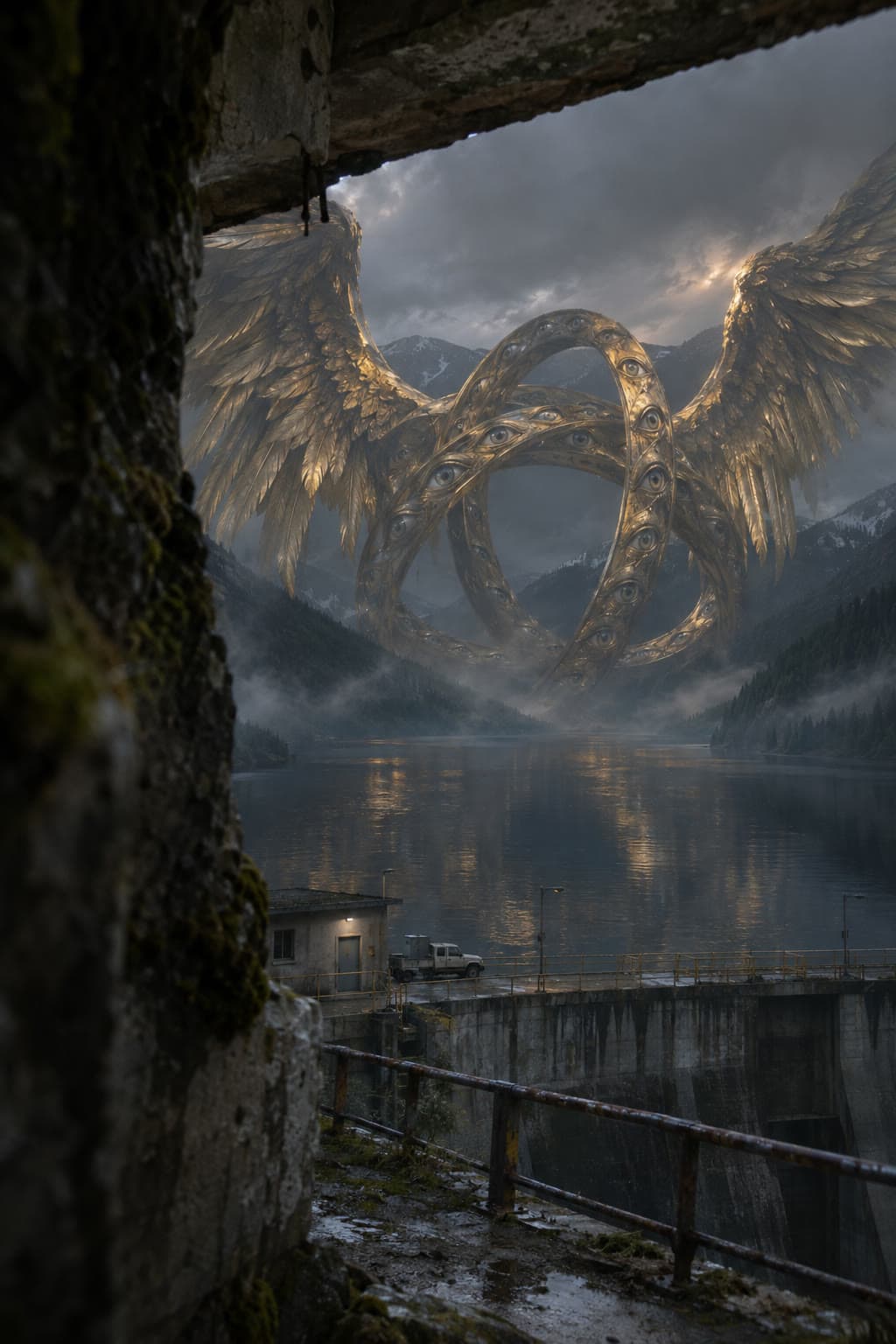
The full prompt · GPT Image 2.6 Sunburst, 9:16
Create ONE extraordinarily photorealistic vertical 2:3 paranormal horror found-footage still. This is an artistic fantasy interpretation of a winged Ophanim, not a claim of literal scriptural anatomy. First-person viewpoint of a terrified hidden witness; never show the person, their hands, or their camera. A rough wall extremely close to the lens partially conceals the view. Convincing cinematic foreground/midground/background depth within an imperfect handheld frame. The entity is VERY FAR AWAY and HUNDREDS OF METERS across, with familiar small architecture proving enormous scale. It has clearly legible intersecting wheel-within-wheel rings covered in many living wet eyes, and enormous feathered wings visibly attached to the ring structure, not to a human or bird body. All rims, feather surfaces and quills are GOLD: aged, tarnished, weathered gold with dark recesses and physically believable metallic reflections; recognizable warm gold even in the darkness, not orange fire, not yellow plastic, not uniform black. Real feather structure with barbs, shafts, bent tips and irregular layering, a subtle worn metal-like surface. Eyes have real corneas and pale muted irises; uncanny and watchful, no neon LEDs. Partial mist and dark weather, while enough motivated light reveals the gold and ring geometry. Cosmic sacred terror, extraordinary scale, documentary realism. Underexposed but readable, subtle sensor grain, believable atmospheric attenuation and optical softness. No glossy CGI, fantasy illustration, game rendering, poster composition, humanoid torso, human face, gore, central giant eyeball replacing the rings, mechanical gears, spaceship, laser beams, text, timestamps, recording HUD, watermark, border, collage, or multiple panels.

LOCATION AND COMPOSITION: First-person view from a ruined hydroelectric maintenance building beside a deep mountain reservoir. The witness hides behind a thick mossy stone wall at the left edge; a broken concrete lintel crosses the upper left. Through the narrow irregular opening, a dark lake runs between steep forested mountains. Far below, a tiny dam walkway, safety railings, a service hut and one parked utility truck establish human scale. At the far end of the reservoir, beyond the dam and in front of receding mountains, a colossal golden Ophanim floats above the water. Three elongated oval gold hoops interlock around an open center; countless wet eyes punctuate the tarnished gold rims. TWO immense gold-feathered wings spread upward and outward from the side rims, like a terrifying vast cathedral silhouette with uneven feather tips. Give the wings tremendous believable layered feather structure and gold material. Ring and wing structure remain one nonhumanoid entity, no human body, bird head, or face. Mountains behind help show it is hundreds of meters tall; its lower arc vanishes in thin lake mist and a broken dark gold reflection stretches across water. Very early dawn under low cloud. Cold diffuse skylight, one narrow muted shaft of warm dawn light grazing gold feather ridges and eye rims. The atmosphere is oppressive, wet, still, isolated; readable warmer metallic highlights against cool grey evergreen slopes. Cinematic depth, off-center framing, foreground concealment, convincing distance and air, subtle camera grain. Do not cover the entity in dense fog; preserve a clear ring-and-wing silhouette.
03 · Written as a shot plan
The Village in the Rain
Dark eye-covered wheels turn beyond a village steeple, and one eye finds the person hiding behind the wall.
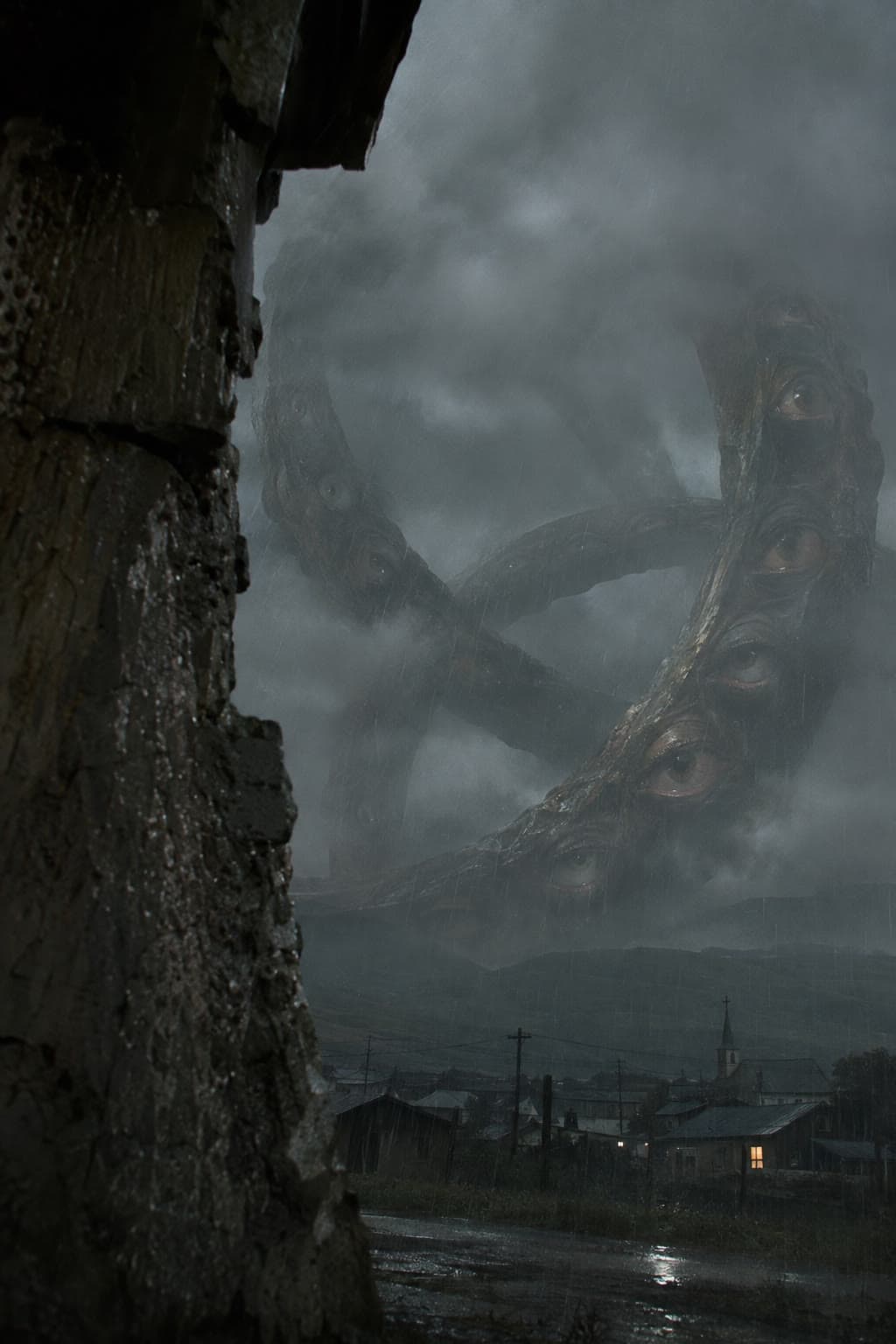
The full prompt · GPT Image 2.6 Sunburst, 9:16
Start exactly from the supplied image. Preserve the close wet masonry, distant village, church steeple, rain, low clouds, and immense dark eye-covered wheels. One continuous photorealistic found-footage horror shot.

Opening, 0–5 seconds: The witness stays hidden behind the wall, filming through the same narrow opening. The camera has small involuntary tremors, with no deliberate movement. Beyond the village, the Ophanim’s rings rotate at a barely perceptible but unmistakable speed, each turning on a different axis without bending or changing shape. Their scale makes even this slow movement monumental. Clouds slip across the upper arcs. Individual eyes blink lazily along the rims. Rain and distant wind dominate the sound.

Recognition, 5–9 seconds: A deep resonant hum emerges, slowly overpowering the weather. One large eye on the nearest visible arc stops wandering and fixes on the hidden camera. Neighboring eyes turn toward the same point in a gradual sequence along the rim. One ring slows until it is almost motionless while another continues rotating behind it. The foreground camera tremor becomes slightly more pronounced.

Demonstration of power, 9–13 seconds: A single low pulse rolls outward from the structure. The cloud bank shudders into expanding bands. Across the village, treetops bow and loose roof sheets lift in a visible progression toward the foreground. Ripples race across the puddled road. When the pressure reaches the wall, water droplets shake free from the stone and loose grit spits across the opening.

Final moment, 13–15 seconds: The witness recoils a few centimeters behind cover, causing a short sideways jolt that lets the wall obscure more of the view. The camera never leaves its hiding position. Through the remaining opening, the enormous eye is still watching. Hold that final unsettling image as the hum continues.

No wings added to this version. Preserve the original entity, ring geometry, village, and lighting. No intentional pan, zoom, camera travel, cut, dramatic exposure change, or scene transition. Sound: rain, distant structural rattles, a powerful low-frequency pressure pulse, and an uncanny nonverbal hum. No dialogue, chanting, or music.
04 · Written as a shot plan
The Subway Entrance
A gold winged Ophanim beats its wings once over a rainy avenue, and the gust tears down the street.
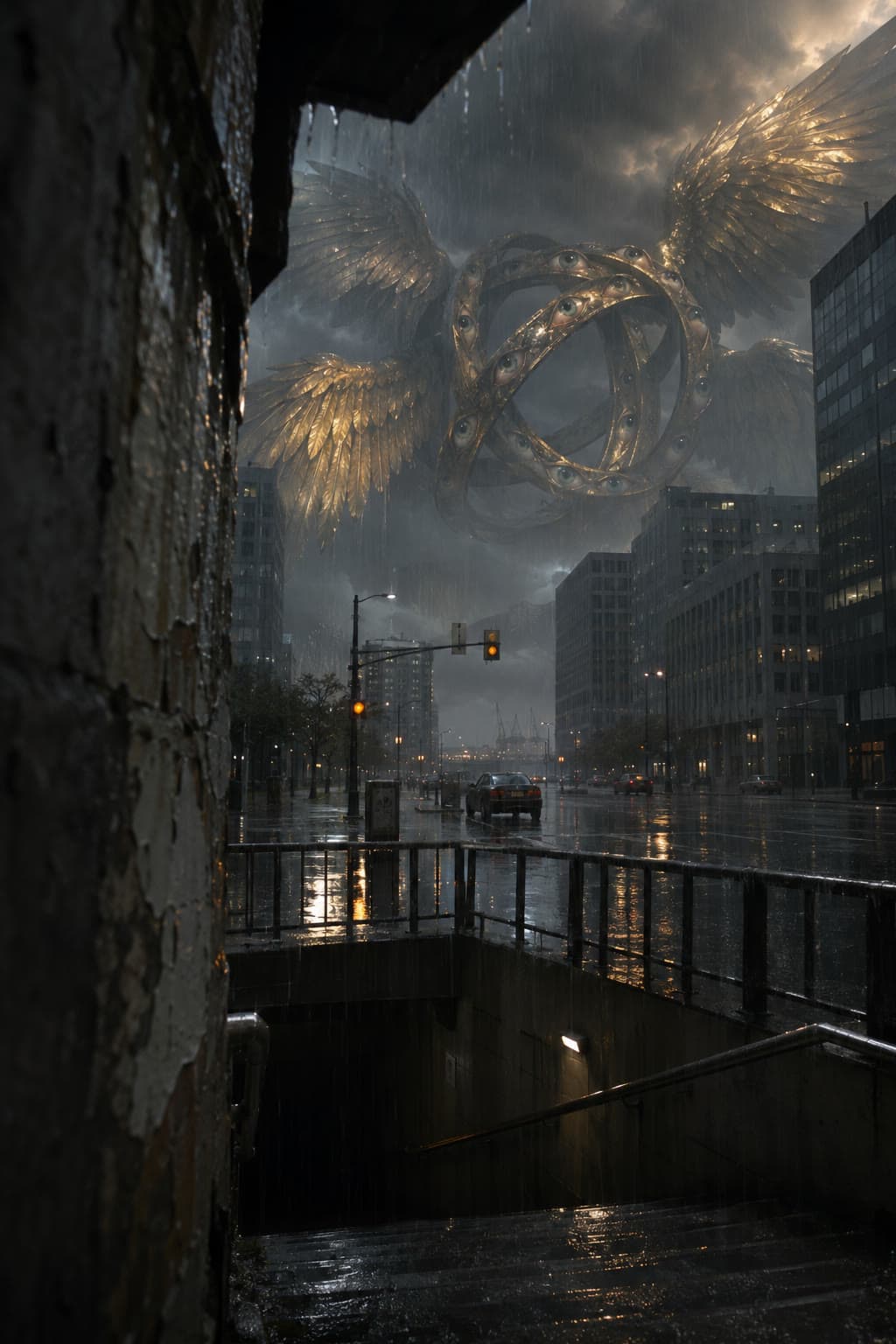
The full prompt · GPT Image 2.6 Sunburst, 9:16
Use the supplied image as the exact opening frame. Preserve the rain-soaked avenue, subway entrance, surrounding buildings, cars, and distant golden winged Ophanim. One uninterrupted handheld shot from concealment.

Opening, 0–4 seconds: The witness films from behind the wet wall at the subway entrance, holding position with small, nervous hand tremors. Rain falls heavily into the street. Above the distant buildings, the Ophanim’s golden rings rotate slowly, with realistic shadow and light moving across their curved surfaces. Its eyes blink asynchronously. The enormous wings flex and spread slightly, revealing overlapping layers of tarnished gold feathers. A deep, dissonant hum grows louder between the buildings.

Build, 4–8 seconds: Several eyes turn together toward the avenue. The Ophanim makes one slow, forceful downward wing stroke. A broad pressure front moves along the street from the distant intersection toward the camera. Its progress is visible: rain abruptly sweeps sideways, standing water lifts into low sheets, roadside trees bend, and suspended traffic signals whip on their cables in sequence.

Impact, 8–12 seconds: The gust reaches the nearer intersection. A parked car slides sideways across the slick asphalt and strikes the curb. Street-level window glass bursts into the road. Paper and small debris race toward the subway entrance. Water surges over the top step and cascades down the staircase. A loose metal panel bangs violently against the railing.

Aftermath, 12–15 seconds: The witness flinches, creating one abrupt downward camera dip, but remains behind the same corner and quickly restores the view. Rainwater streaks across one edge of the lens. Far above the avenue, the wings slowly recover while the giant rings continue turning. The hum persists beneath distant car alarms and falling glass.

Keep the original viewpoint: no walking, emerging into the street, intentional pan, zoom, cut, or orbit. Preserve the Ophanim’s existing gold color, wings, eyes, and ring structure. No speech, chanting, or music; use rain, wind, electrical buzzing, metal strain, alarms, and the entity’s nonverbal resonance.
Make your own
How to make one with
GPT Image 2.6 in Image Studio.
The image comes first, because the picture holds the look, and the video only has to move it. Here is the whole path in Image Studio.
- 01
Open Image Studio and pick GPT Image 2.6 Sunburst
Choose GPT Image 2.6 Sunburst in the model picker and the 9:16 story format, so the picture is built for a phone screen from the start. These four were made at the Pro quality setting.
- 02
Write or paste the prompt, then Generate
Use one of the prompts on this page, or write your own the same way: who is watching, what is close, what is impossibly far away, what it is made of, and what must never appear.
- 03
Press Animate and choose Seedance 2.5
Open the finished image and press Animate. Pick Seedance 2.5 and 15 seconds.
- 04
Write the motion prompt
Split the 15 seconds into timed beats, lock the camera, and say what you hear. The village and subway prompts above are written exactly this way, so you can borrow their shape.
- 05
Draft at 480p, then Finalize at 1080p
Roll a 480p draft to check the motion. When one is right, press Finalize to make it in 1080p.
Tip: the button under each prompt opens Image Studio on GPT Image 2.6 Sunburst in the 9:16 format with that prompt filled in. When the image is ready, Animate opens on Seedance 2.5 at 15 seconds.
Questions
Questions about GPT Image 2.6.
- What is GPT Image 2.6?
- GPT Image 2.6 is OpenAI’s newest image model. In Pray Production Studio it is available in Image Studio in two versions, GPT Image 2.6 Sunburst and GPT Image 2.6 Flare.
- Where can I use GPT Image 2.6?
- In Image Studio in Pray Production Studio. Open Image Studio, choose GPT Image 2.6 Sunburst or GPT Image 2.6 Flare in the model picker, pick a format, write a prompt and press Generate.
- What is the difference between GPT Image 2.6 Sunburst and Flare?
- GPT Image 2.6 Sunburst is the version for rich detail. GPT Image 2.6 Flare is fast and versatile. The four Ophanim images on this page were made with GPT Image 2.6 Sunburst.
- Can GPT Image 2.6 make an SVG or a GIF?
- Yes. On GPT Image 2.6, Image Studio can export your result as an Image, an SVG or a GIF.
- How do I animate a GPT Image 2.6 image?
- Open the image in Image Studio and press Animate. Choose Seedance 2.5, set the length (these clips are 15 seconds), write a motion prompt, and generate a 480p draft. When the draft looks right, press Finalize for the 1080p version.
- How do I get the Ophanim prompts?
- All four prompts are on this page in full, as text you can copy. Each Open in Image Studio button opens Image Studio with that prompt already filled in. If you found this from the Instagram reel, commenting IMAGE sends you a link to this page.
- What are the Ophanim?
- In Ezekiel 1, the prophet sees wheels beside the living creatures that look like a wheel in the middle of a wheel, with rims full of eyes. Ophanim is the Hebrew word for those wheels, and later Jewish tradition came to speak of the ophanim as a kind of angel. These images are an artistic interpretation, not a literal picture of the text.
Try GPT Image 2.6
Start from one of these,
then make it your own.
Open a prompt with everything filled in, change the place or the light, and press Generate.
The Coastal Lookout
Open in Image StudioThe Mountain Reservoir
Open in Image StudioThe Village in the Rain
Open in Image StudioThe Subway Entrance
Open in Image StudioPray Production Studio is made by Pray.com.